4-2
VSM500 DeviceNet Option Board
4.1 Setting Up the Scan List
For the scanner to communicate with a VSM500 unit, the scanner must be configured
and the VSM500 unit’s node number must be added to its scan list.
Step 1. Go online with DeviceNet Manager. Refer to section 3.2
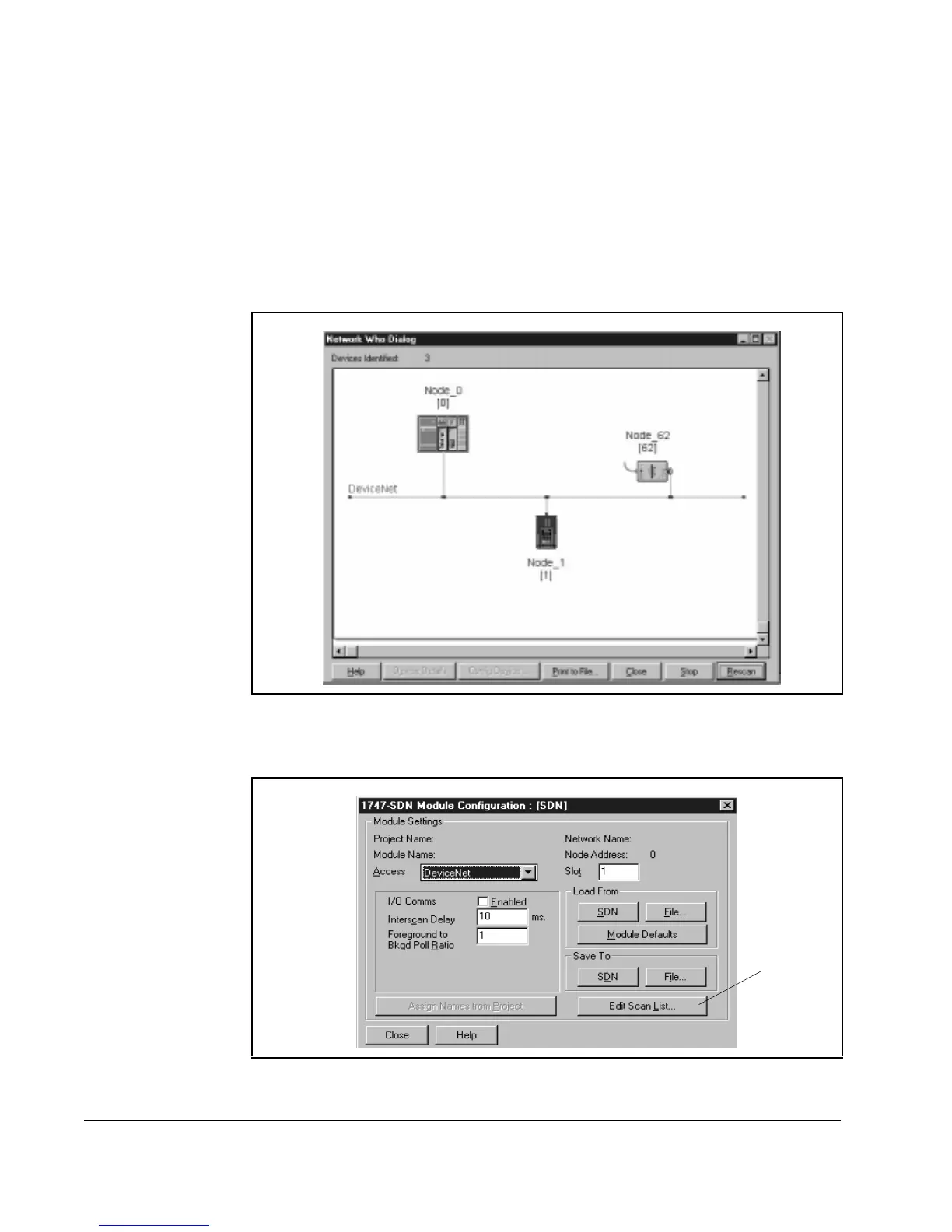
Step 2. Select Who > Network Who. The Network Who window appears, and
DeviceNet Manager scans the network for devices. You can wait for
DeviceNet Manager to scan the entire network, or click Stop after it displays
your VSM500 unit and scanner.
Step 3. Double-click the scanner icon to display the 1747-SDN Module Configuration
dialog box.
Step 4. Click Edit Scan List. The 1747-SDN Scan List Editor dialog box appears.
Figure 4.2 – Network Who Window
Figure 4.3 – 1747-SDN Module Configuration Dialog Box
÷



 To Next Page