Configuring a Scanner
4-3
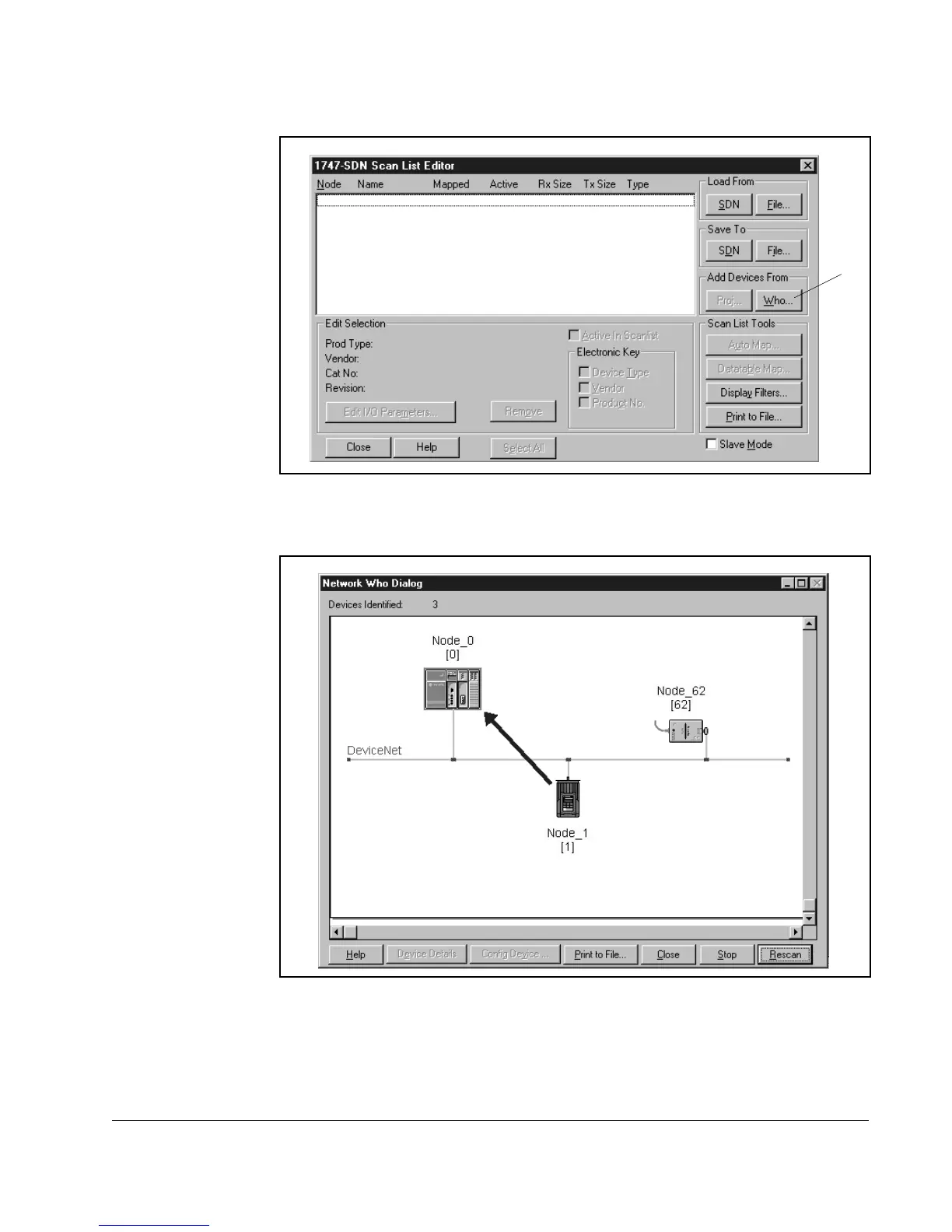
Step 5. Under Add Devices From, click Who. The Add Devices to Scan List dialog
box appears.
Step 6. Drag and drop the icon for the VSM500 unit onto the scanner icon. The
VSM500 icon will be outlined with a square.
Step 7. Click OK. The Scan List Editor dialog box reappears, and the VSM500 node
appears in the scan list.
Figure 4.4 – 1747-SDN Scan List Editor Dialog Box
Figure 4.5 – Add Devices to Scan List Dialog Box
û



 To Next Page