USER I/O PANEL
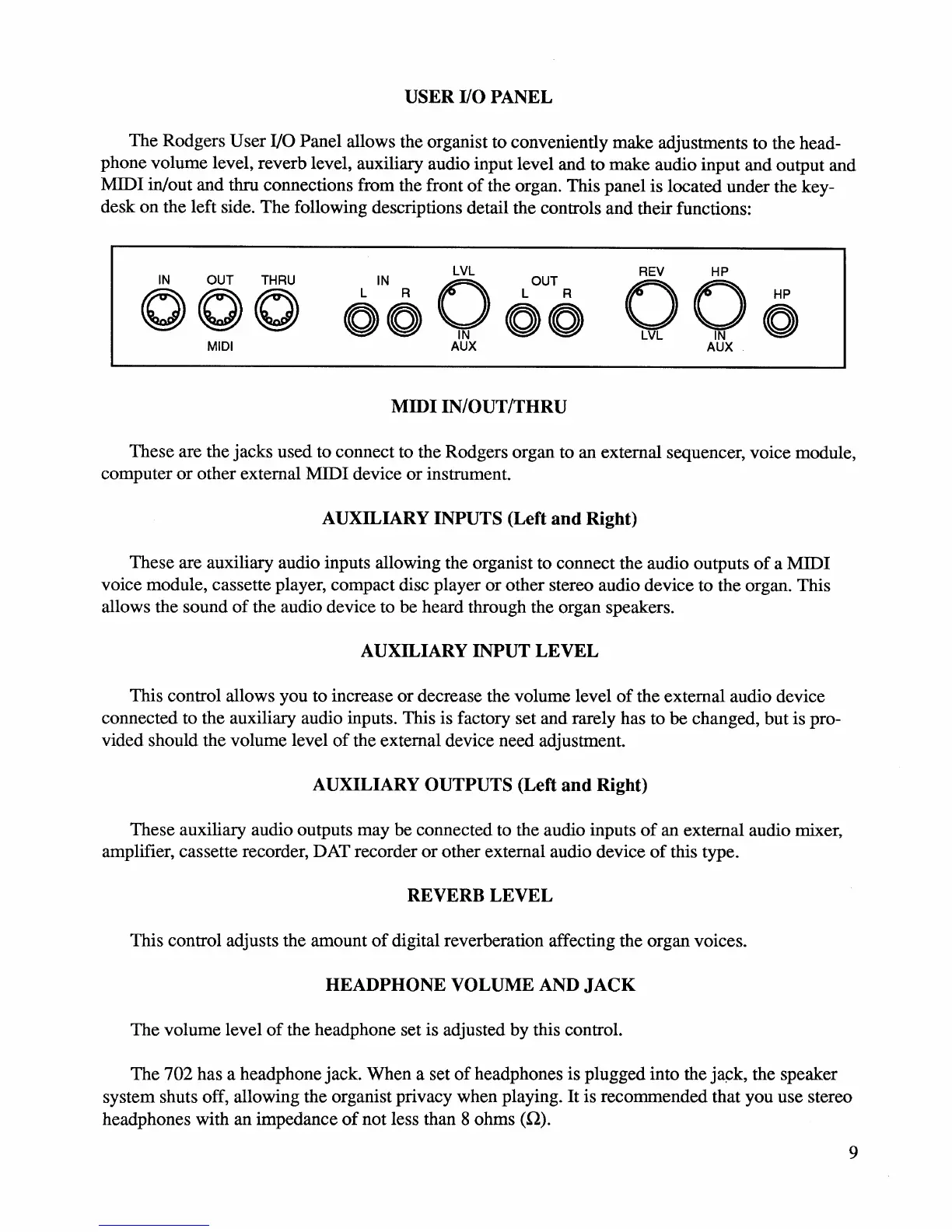
The Rodgers User I/O Panel allows the organist to conveniently make adjustments to the head-
phone volume level, reverb level, auxiliary audio input level and to make audio input and output and
MIDI in/out and thru connections from the front
of
the organ. This panel is located under the key-
desk on the left side. The following descriptions detail the controls and their functions:
IN
OUT THRU
000
MIDI
LVL
ON
6
0 6
U
o
AUX
MIDIIN/OUT/THRU
REV HP
006
AUX
These are the jacks used to connect to the Rodgers organ to an external sequencer, voice module,
computer
or
other external MIDI device
or
instrument.
AUXILIARY INPUTS (Left
and
Right)
These are auxiliary audio inputs allowing the organist to connect the audio outputs
of
a MIDI
voice module, cassette player, compact disc player
or
other stereo audio device to the organ. This
allows the sound
of
the audio device to be heard through the organ speakers.
AUXILIARY INPUT
LEVEL
This control allows you to increase
or
decrease the volume level
of
the external audio device
connected to the auxiliary audio inputs. This is factory set and rarely has to
be changed, but is pro-
vided should the volume level
of
the external device need adjustment.
AUXILIARY OUTPUTS (Left
and
Right)
These auxiliary audio outputs may be connected to the audio inputs
of
an external audio mixer,
amplifier, cassette recorder, DAT recorder
or
other external audio device
of
this type.
REVERB
LEVEL
This control adjusts the amount
of
digital reverberation affecting the organ voices.
HEADPHONE VOLUME AND
JACK
The volume level
of
the headphone set is adjusted by this control.
The 702 has a headphone jack. When a set
of
headphones is plugged into the
ja~k,
the speaker
system shuts off, allowing the organist privacy when playing.
It
is recommended that you use stereo
headphones with an impedance
of
not less than 8 ohms
(0).
9






 To Next Page