Convenient Functions
Copying a Saved Song (Copy Song)
You can copy a saved song from internal memory to a USB ash
drive, or from a USB ash drive to internal memory.
* Audio les cannot be copied.
1. Connect a USB ash drive (sold separately) to the USB
MEMORY port (p. 10).
2. Press the [SONG] and [RHYTHM] buttons simultaneously.
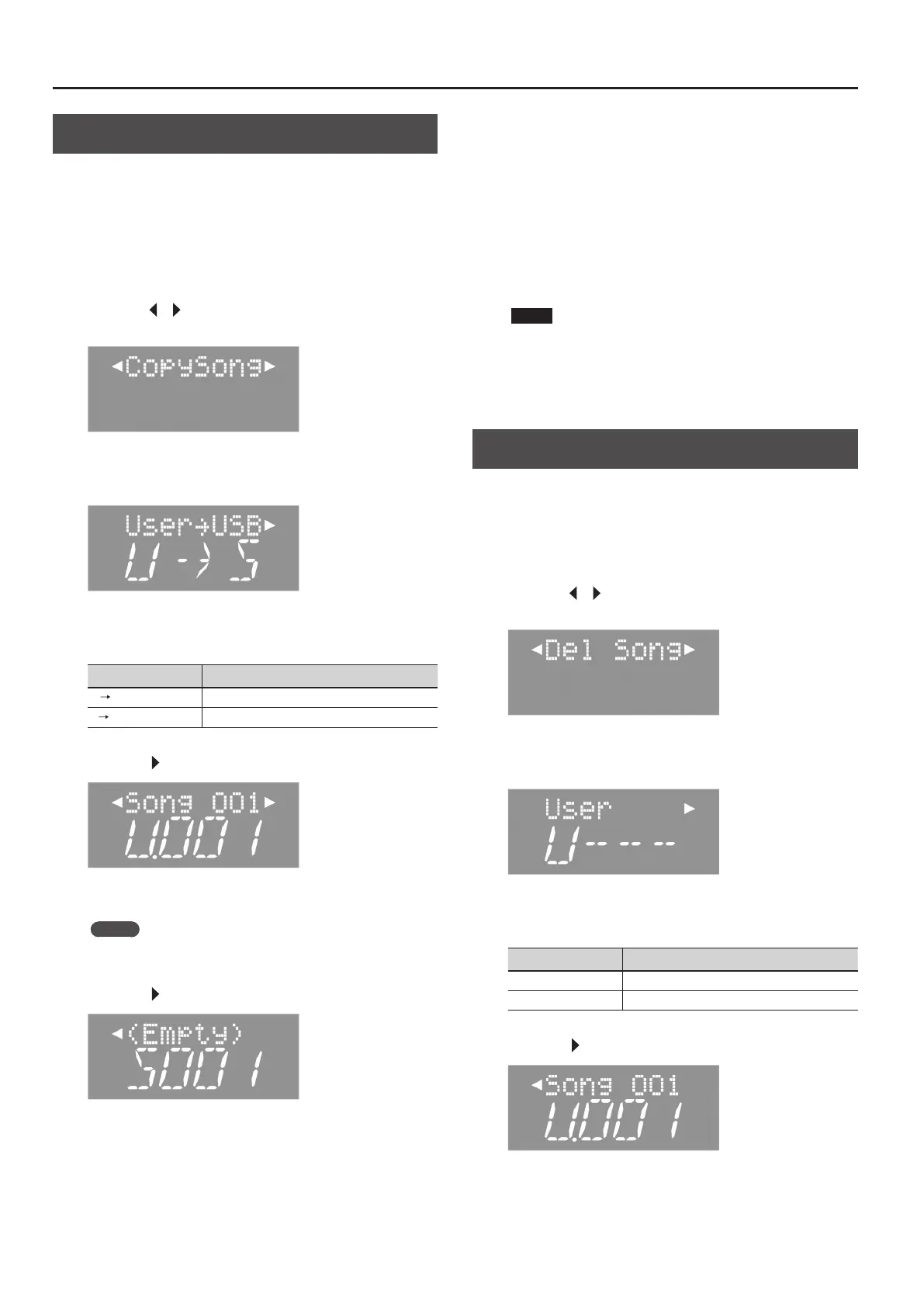
3. Press the [ ] [ ] (SLOW/FAST) buttons to select
“CopySong.”
4. Press the [METRONOME] button.
The copy song screen appears.
5. Use the [–] [+] buttons to select the source memory and
the destination memory.
Display Explanation
U
S
Copy from internal memory to a USB ash drive.
S
U
Copy from a USB ash drive to internal memory.
6. Press the [ ] (FAST) button.
7. Press the [–] [+] buttons to select the song to copy.
MEMO
If you select “ALL,” the FP-50 will copy all songs (other than audio
les) from the source side.
8. Press the [ ] (FAST) button.
9. Press the [–] [+] buttons to select the copy-destination
number.
If a song name is displayed when you select a song number, a song
has already been saved in that number. If you select a song number
that already contains a song, the recorded song will be overwritten.
If you do not want to overwrite the previously recorded song, select
a song number that displays “(Empty)” as the song name.
If you decide to cancel, press the [REC] button.
10. Press the [METRONOME] button.
The selected song is copied.
NOTE
Do NOT turn o the power or disconnect the USB ash drive
while “Working.” is displayed.
11. Press the [SONG] and [RHYTHM] buttons simultaneously
to nish.
Deleting a Saved Song (Delete Song)
Here’s how to delete a song that you saved into internal memory or
on a USB ash drive.
* If you want to delete a song from a USB ash drive, connect it to
the USB MEMORY port before proceeding.
1. Press the [SONG] and [RHYTHM] buttons simultaneously.
2. Press the [ ] [ ] (SLOW/FAST) buttons to select “Del
Song.”
3. Press the [METRONOME] button.
The delete song screen appears.
4. Press the [–] [+] buttons to select the memory that holds
the song you want to delete.
Display Explanation
U (User) Internal memory
S (USB) USB ash drive
5. Press the [ ] (FAST) button.
34



 To Next Page