21
Chapter 2 Basic of Pattern Playback
Chapter2
Using the keyboard pads
Procedure
1. 1. Press [OCT +] button (lighting the button) when
setting a positive value; press [OCT -] button when
setting a negative value (lighting the button).
2. Hold down [TRANSPOSE] button and press a keyboard
pad to set the transpose value.
The transpose value can be set in a range of -12– +12
semitones, above and below the C4 key (which will be
keyboard pad [2] if Octave Shift is “0”).
3. The transposition will be applied from the moment that
you press the keyboard pad.
To return to the original key, press [TRANSPOSE]
button once again to make the button indicator go dark.
- “Shifting the Keyboard Range in One-Octave Steps
(Octave Shift)” (P. 24)
Selecting sounds
Selecting Patch/Rhythm Set
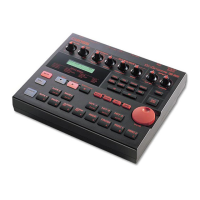
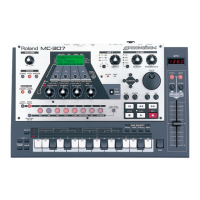
The MC-307’s Patterns are composed of up to eight Parts,
and different Patches (Part1 - 7: Patches, Part R = Rhythm
set)can be selected for each Part. To change tones, first select
the desired Part.
Procedure
First, select the part in which a patch is to be selected.
1. Press [PTN] button.
2. Press [F1 (PACH)] button.
The names of the patches in the currently selected part
are displayed.
3. Press [PART SELECT] button.
The part buttons, [R], [1] to [7], function as the part
selection buttons.
4. Press the part button, [R], [1] to [7], for the part
containing the patch that you want to transpose.
The part associated with the button pressed is selected
and its name appears in the top right-hand corner.
Next select a patch.
5. Press [PRESET] button or [USER] button to make
selection between preset patches and user patches.
6. Select a patch using [VALUE] dial or [INC/DEC]
buttons.
Range:
- Patches
Preset P: A001 - 128
P: B001 - 128
P: C001 - 128
P: D001 - 128
P: E001 - 128
P: F001 - 128
P: G001 - 032
User U: A001 - 128
U: B001 - 128
- Rhythm sets
Preset P: A01 - 26
P: B01 - 14
User U 01 - 20
Selecting a Patch by Category
Patches can be selected by category such as piano, organ, etc.
(Part 1 - 7 only.)
Procedure
1. Press [PTN] button.
The pattern playback screen appears.
2. Press [F1 (PACH)] button.
The names of the patches in the currently selected part
are displayed.
3. Press [F2 (CATG)] button.
The category selection screen appears.
4. Select a category using [VALUE] dial or [INC/DEC]
buttons.
If you would like to know what patches/rhythm
sets are available?
- “Preset Patch List” (P. 155)
- “Preset Rhythm Set List” (P. 159)


 To Next Page
 Loading...