Pedal Settings (Control/Expression)
36
Adjusting the [EXP] pedal
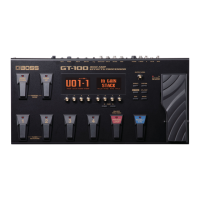
Although the GT-100’s [EXP] pedal has been set for optimum
operation at the factory, extended use and the operating
environment can result in the pedal going out of adjustment.
If you encounter problems such as being unable to fully cut o the
sound with the volume pedal or being unable to switch the EXP
PEDAL SW, you can use the following procedure to readjust the
pedal.
1. Press the [SYSTEM] button.
2. Turn knob [4] to select “PDLCALIBRATION“ (PEDAL
CALIBRATION).
The PEDAL CALIBRATION screen appears.
3. Press the heel end of the [EXP] pedal, and press the
[WRITE] button.
The screen will indicate “OK,” and then a screen like the following
will appear.
4. Press the toe end of the [EXP] pedal, and press the
[WRITE] button.
The screen will indicate “OK,” and then a screen like the following
will appear.
5. Strongly press the toe end of the [EXP] pedal.
Verify that the EXP PEDAL SW indicator lights when you strongly
press the toe end.
* If you want to change the lighting sensitivity of the EXP PEDAL
SW indicator, repeat step 5 while you adjust the THRESHOLD
value with knob [5].
6. Press the [WRITE] button.
The screen will indicate “COMPLETE!”



 To Next Page
 Loading...