Using Chord Mode
14
Using Chord Mode
Basic operations
1.
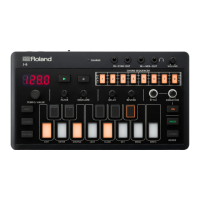
Press the [CHORD] button.
Chords sound when you play the keyboard.
* If you just want to check how a chord sounds, press the STYLE [ON] button to turn it off.
Selecting the chord set
1.
Hold down the [SHIFT] button and press the [CHORD] button.
The selected chord set number is shown in the display.
The [CHORD] button and [SHIFT] button blink.
2.
Select with the [TEMPO/VALUE] knob.
3.
When you are finished, press the [CHORD] button.


 To Next Page
 Loading...