Installing the Ink Cartridges
8
1. Changes to the Setup Guide1. Changes to the Setup Guide
Installing the Ink Cartridges
When installing ink cartridges for the rst time, clean the print heads with the cleaning solution, and then ll with ink of each
color. This operation requires four SOL INK cleaning cartridges (two cartridges for LEF-12).
* Be sure to use fresh SOL INK cleaning cartridges and ink cartridges.
* Never under any circumstances use anything other than the specied type of ink or cleaning uid.
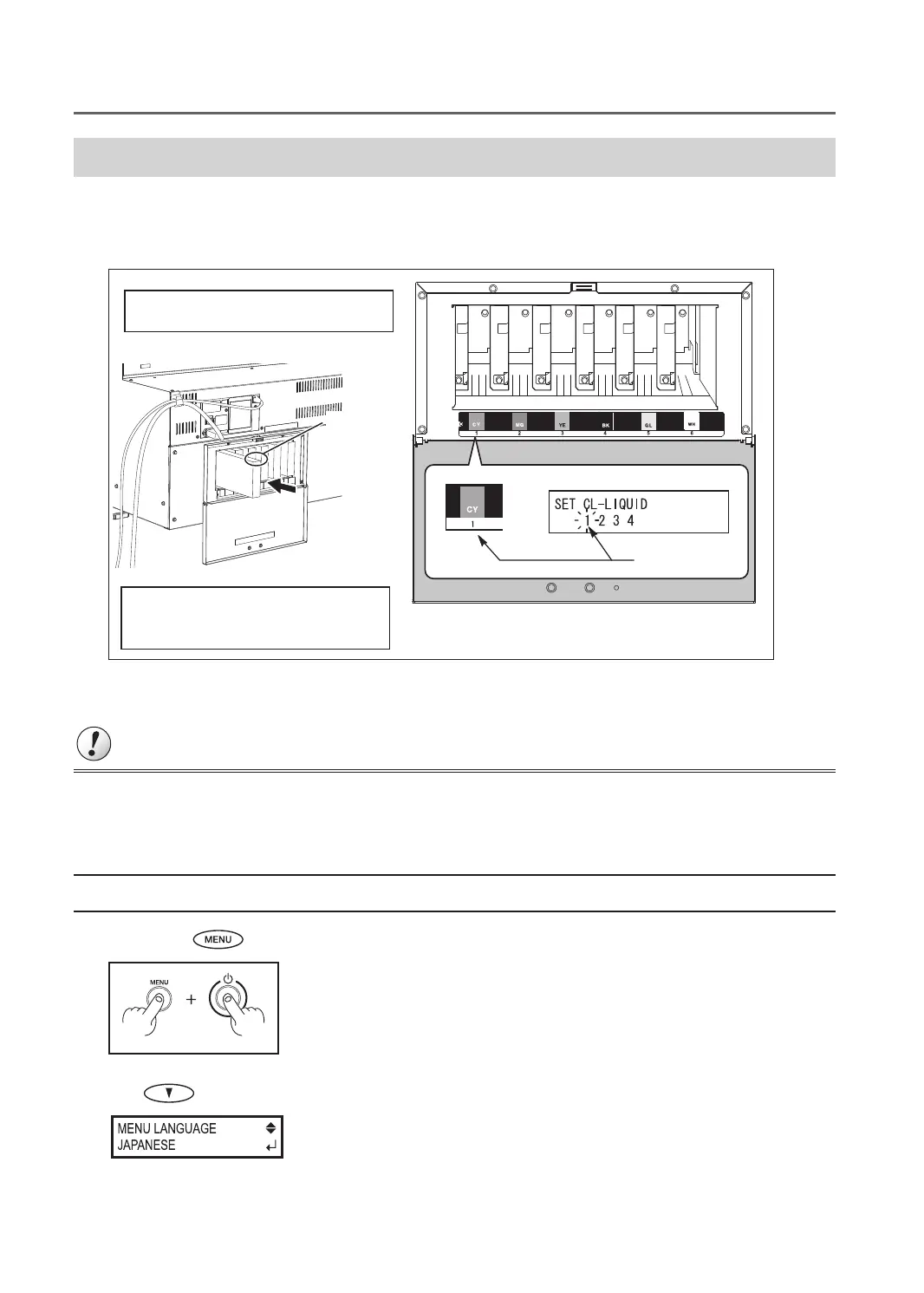
Be sure to follow the on-screen instructions for
insertion and removal.
- Insert and remove slowly, one at a time.
- Insert rmly, as far as it will go.
- Insert rmly until you hear a beep.
Slot number
* This gure indicates LEC-330.
Arrow
During cleaning, you need to insert and remove cartridges several times. The on-screen messages tell you when or which
cartridge to be inserted or removed. The SOL INK cleaning cartridges are not dierentiated by color.
Important
Insert each color ink cartridge into the slot labeled with the matching color. If you insert the wrong cartridges, the color inks
may be mixed. Be careful not to insert the wrong cartridges. Contact your authorized Roland DG Corp. dealer or us, if you
inserted the wrong cartridges and the color inks were mixed.
1. Make the initial settings
1.
Hold down and press the sub power switch.
2. Use to select the language you want.



 To Next Page
 Loading...









