Installing the Ink Cartridges
6
1. Changes to the Setup Guide1. Changes to the Setup Guide
<EUVS ink mode>
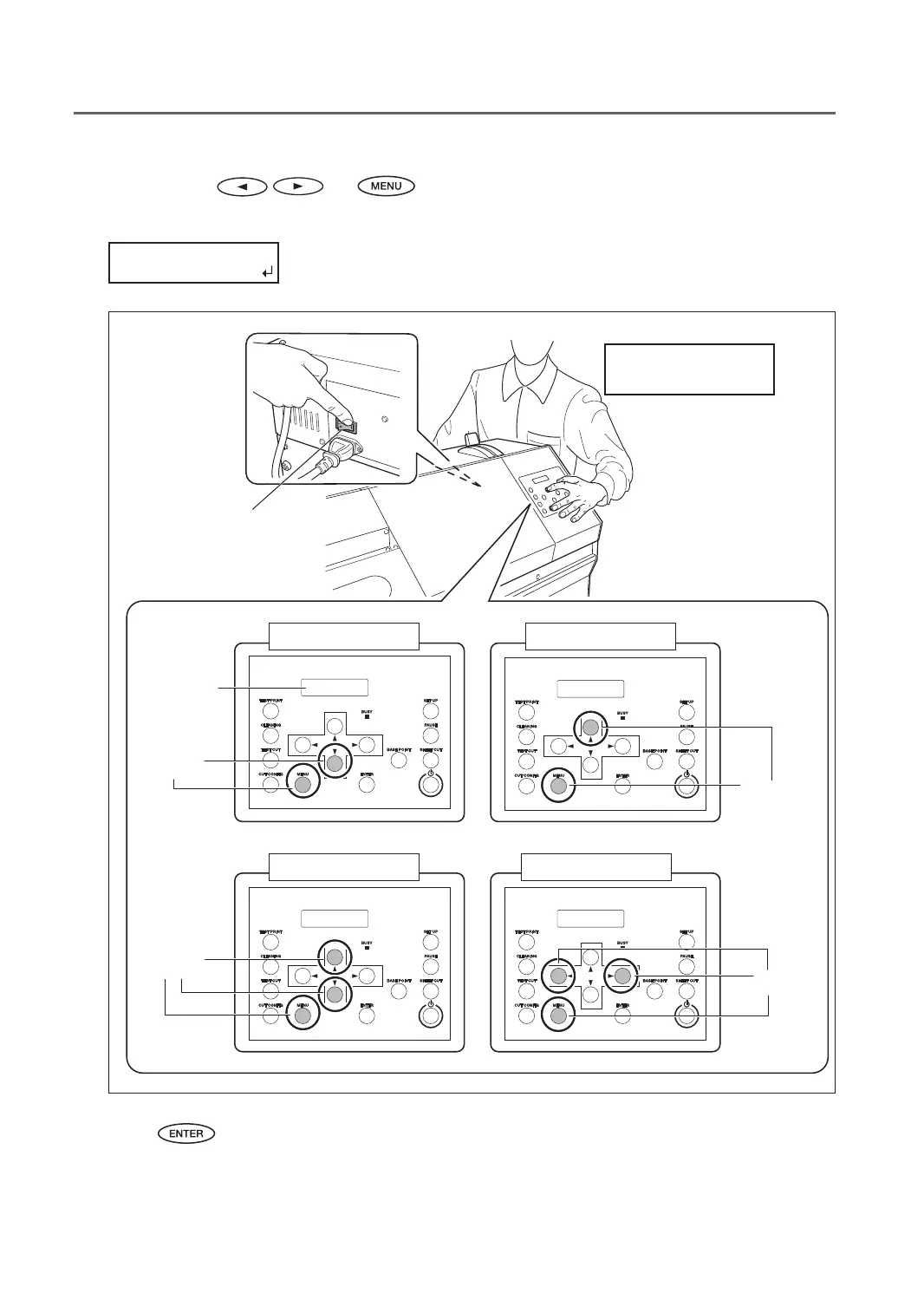
3-1. Hold down and , switch on the main power switch.
3-2. When the message shown below appears on the display screen, release the operation-panel buttons.
Hold down until the message
appears.
Display screen
White modeGloss mode
Gloss/White mode EUVS ink mode
Press at the
same time
Press at the
same time
Press at the
same time
Press at the
same time
Main power switch
4. Press .
The sub power switches o automatically.
This completes selection of the ink mode. Go on to the next step, “Axing the Cartridge-slot Labels” (p. 7) .



 To Next Page
 Loading...









