Reading SPD-11 Data with the SPD-20
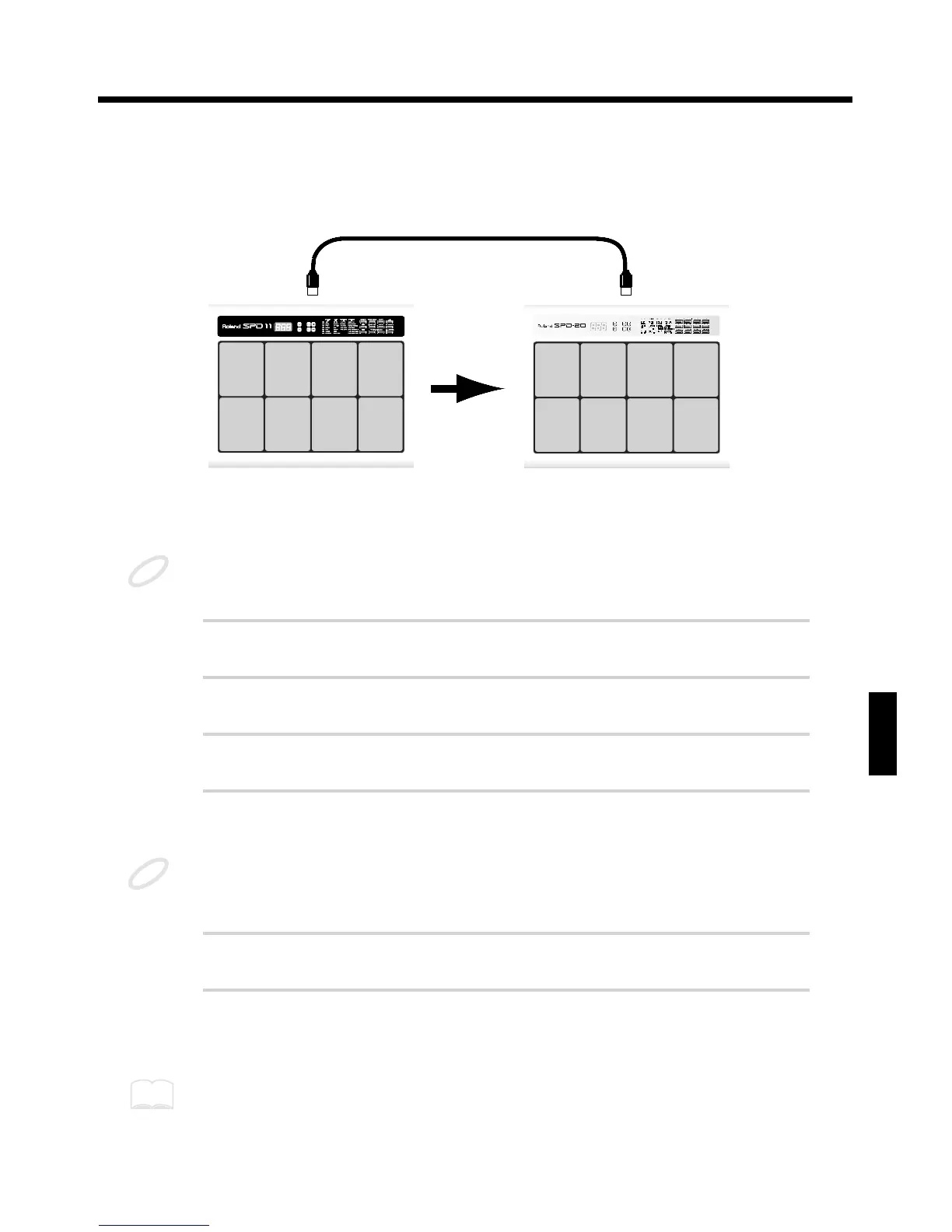
You can use the SPD-20 to receive bulk data (bulk load) from the SPD-11. The SPD-20 has all of the
Instruments from the SPD-11 built in, allowing you to play back Patches and other data created on the
SPD-11.
fig. 86-a
When SPD-11 data is sent to the SPD-20, Patches 1–64 from the SPD-11 are stored in Patches 1–64.
When data is received by the SPD-11, the SPD-20’s Patch data is overwritten.
You cannot transmit SPD-20 data to the SPD-11.
1
Using a MIDI cable, connect the MIDI OUT of the SPD-11 to the MIDI
IN of the SPD-20.
2
Match the SPD-11’s Basic Channel with the Basic Channel the SPD-
20. (p. 67)
3
Put the SPD-11 in Edit mode and select the BULK DUMP SYSTEM
parameter.
4
Select the SPD-11 Patches (ALL, 1–64) to be forwarded.
When transmitting data, the SPD-11’s Patch Number is written as is to the same Patch Number on
the SPD-20. When ALL is selected, then Patches 1–64 from the SPD-11 are written to Patches 1–64
on the SPD-20.
5
When you press [ALL/ENTER] on the SPD-11, the data is forwarded
from the SPD-11 to the SPD-20.
6
When reception begins, “Lod” appears in the SPD-20’s display.
Bulk Load is then completed.
When transferring Patches 1–64 used for Patch Expand on the SPD-11 (p. 70) to the SPD-20, you
must then use Patch Copy to copy Patches 1–64 on the SPD-11, to Patches 96–99 on the SPD-20.



 To Next Page