
 Need help?
Do you have a question about the Roland Stika SX-15 and is the answer not in the manual?
Lists all items included in the package to ensure nothing is missing.
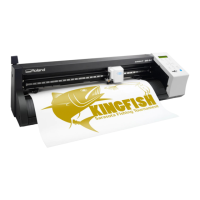
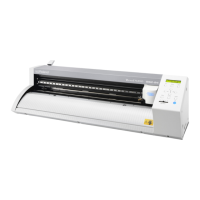
Identifies and labels the various components of the cutting machine.
Guides on proper installation, including space, cables, and power connections.
Instructions for installing the Dr. STIKA PLUS software and drivers.
Explains the meaning of WARNING and CAUTION notices used in the manual.
Describes symbols used to convey important instructions and warnings.
Provides crucial safety instructions regarding electrical hazards, modifications, and proper usage.
Details the meaning of warning, caution, and notice symbols on the unit and in the manual.
Step-by-step guide on how to correctly load cutting materials into the machine.
Basic operations for using Dr. STIKA PLUS to create cutting designs.
Covers entering, saving, resizing, and moving text and shapes within the software.
Procedure for initiating the cutting process after data preparation.
Details on how to transfer the cut material onto a surface correctly.
Instructions on how to adjust blade extension and replace the cutting blade.
Guidance on configuring cutting parameters like speed and offset for different operating systems.
Defines the operational limits and dimensions for material cutting.
Steps to adjust the machine for different material widths, specifically on the SX-15.
Method to fix material alignment issues using the sheet adjustment lever.
Guide on importing BMP images for cutting and conditions for good results.
Techniques for applying larger cut materials smoothly without bubbles.
Procedures for cleaning and maintaining the cutting machine and its parts.
Solutions for common problems like machine non-operation or cutting errors.
Technical details and dimensions of the SX-15/12/8 cutting machine.
Information on using Roland CutChoice software for outputting designs.
 General
| Model | SX-15 |
|---|---|
| Category | Cutter |
| Cutting Width | 15 inches |
| Max Media Width | 15 inches |
| Connectivity | USB |
| Software | Roland CutStudio |
| Cutting Method | Drag Knife |
| Dimensions | 23.5 x 9.4 x 6.7 inches |
| Weight | 22 lbs |
| Media Types | Vinyl, Paper |
| Acceptable Material Width | 15 inches |
| Blade Force | 30 - 350 gf |
| Power Supply | AC 100-240V |
| Cutting Force | 30 to 60 gf |
| Compatibility | Windows and Mac |
| Power Requirements | AC 100-240V |



 To Next Page
