12
Navigation Control
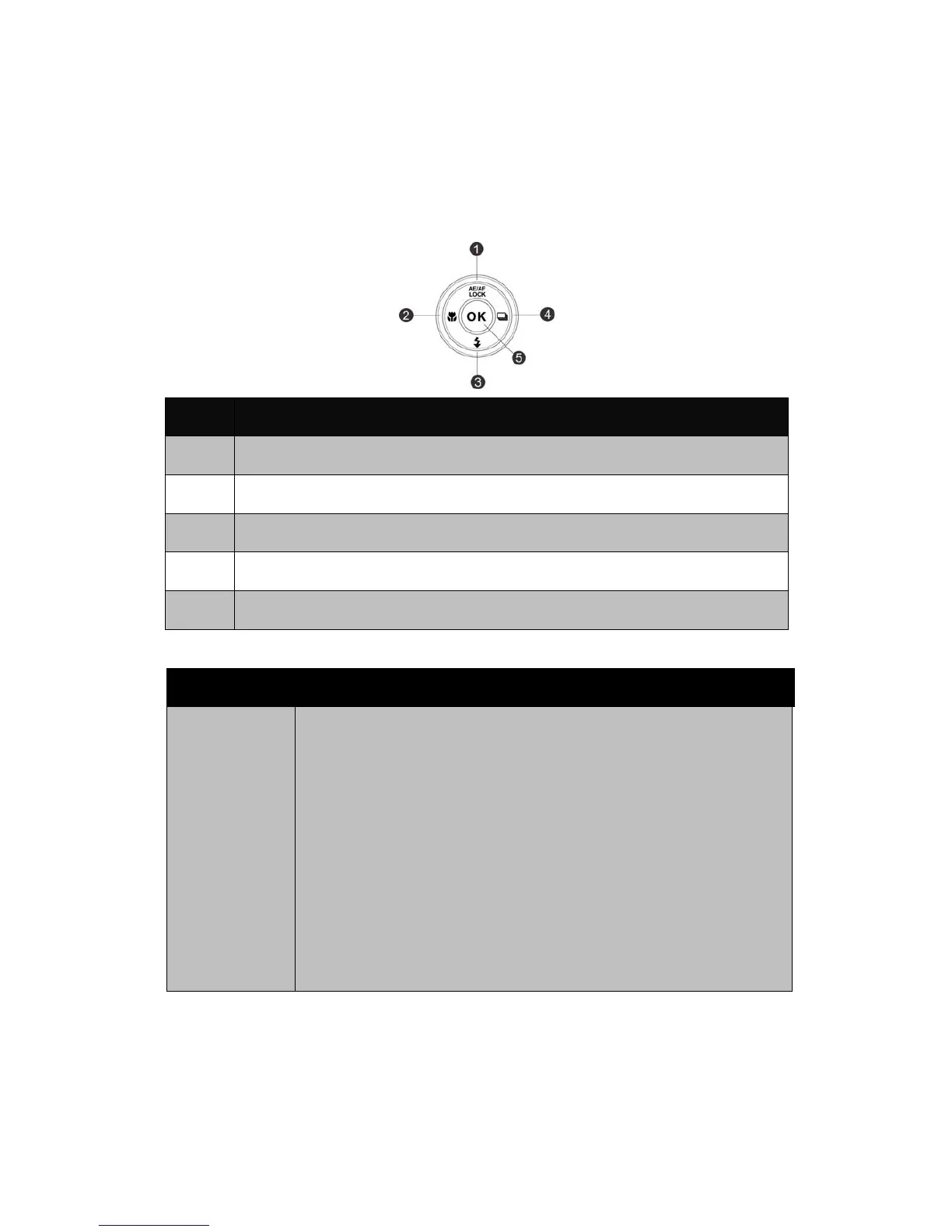
The 4-way Navigation Control and the OK button allow you to access the
various menus available from the On Screen Display (OSD). You can configure a
wide range of settings to ensure maximum results from your images and videos.
Further functions of these buttons are as follows:
No. Description
1 AE/AF LOCK
2 Macro Button
3 Flash Button
4 Continuous Shooting Button
5 OK Button
Button Description
AE/AF
LOCK/Up
1. To lock AE/AF, press the AE/AF LOCK/Up button in Program
Mode or half press the shutter button and then press the
AE/AF LOCK/Up button.
2. To unlock AE/AF by any one of the following ways:
x Press the AE/AF LOCK/Up button
x Press the Zoom button
x Press the MENU/Fn/Playback/Movie/Power button to
launch another function
x Switch to Super Macro/Manual Focus (For unlocking AE
only)
3. In Menu, press to navigate through the menu and submenu
selections.













 To Next Page