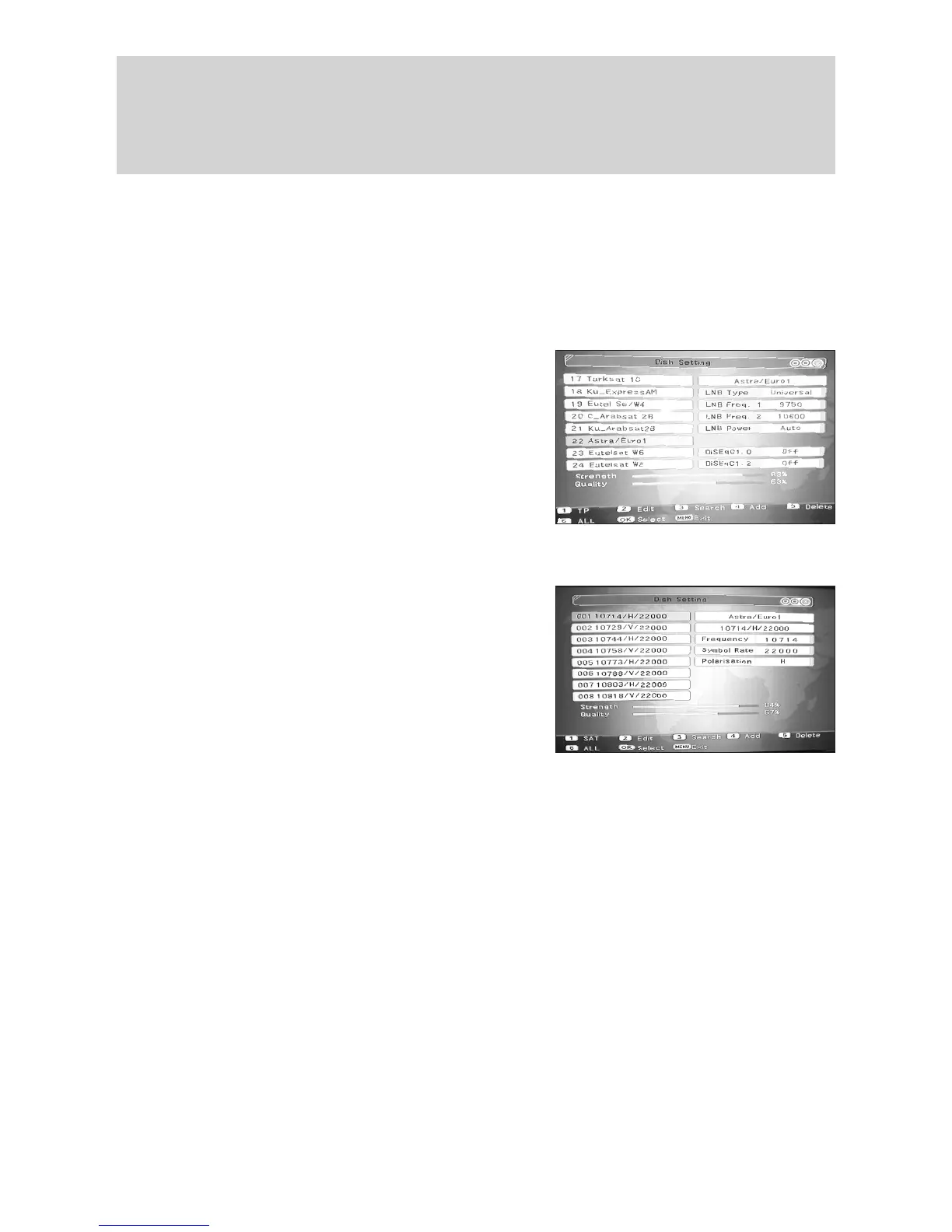
This menu enables you to tune to a particular satellite and also to modify various associ-
ated settings. There is also a utility facilitating the calculations necessary to position your
dishforaspecicsatellitegivenyourownlatitudeandlongitude.
6.1 Dish Installation
Within the “Dish Setting” menu there are 6 functions available as listed below;
a. TP (Transponder)
b. Edit Satellite
c. Search Satellite
d. Add Satellite
e. Delete Satellite
f. All (Not used in TP Menu)
Press “Menu” then use the t key to select
“Dish Setting” and then press “OK”. This will take you into the “Dish Setting” screen
from where all of the above functions can be accessed.
6.1.1 TP (Transponder)
Using the s/t keys select the Satellite whose
Transponders you wish to access, then press “1”
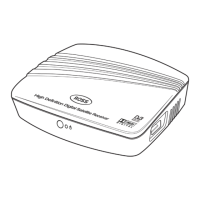
(TP). Under this menu you can carry out a “Search”
ofaspecictransponder,“Add” or “Delete” a
transponderornallyselect“All”.
6.1.1.1 TP Search
This feature enables you to search an existing Transponder for new programmes that
may have been added or to search a new Transponder that you have added. To carry
outasearchofanexistingornewTransponderrstselecttherelevantTransponderand
then press “3” (Search), you then need to set the “Scan Mode” using the keys
and then scroll down to “Start Search” and press “OK”toconrm.Whenthesearch
has been completed , if new Programmes have been found you will be prompted to save
them, select “OK” and press “OK”toconrm.IfnonewProgrammesarefoundthenthe
message “No new programmes found” will be displayed.
6.1.1.2 Add a TP
Using this function you can “Add” a Transponder to the Satellite you have selected. To
do this you need to know the Frequency, Symbol Rate and Polarity of the Transponder
you wish to add. Press “4” (Add) then pressing “OK”usethenumerickeystollinthe
“Frequency” of the new Transponder. Press “OK”toconrmandthenuset key to se-
lect “Symbol Rate” and repeat the process as for “Frequency”. Press “OK”toconrm
and then use t key to select “Polarisation” using the keys to make your selection.
Finally,conrmyourchangesbyselectingandpressing“OK”. You can then search your
new transponder as detailed above in TP search.
t
t
/
t
t
/
6.0 Installation
12



 To Next Page