6.1.1.3 Delete
This can be used to delete any unwanted Transponders. First select the Transponder
you wish to delete and press “OK”toconrm.Thenpress“5” (Delete) followed by “OK”
toconrmandexecutethedeletion.
6.1.2 Edit Satellite
This enables you to edit various aspects of a Satellite’s settings, including;
a. LNB Type
b. LNB Freq 1
c. LNB Freq 2
d. LNB Power
e. DiSEqC1.0 (Motorised Dish)
f. DiSEqC1.2 (Motorised Dish)
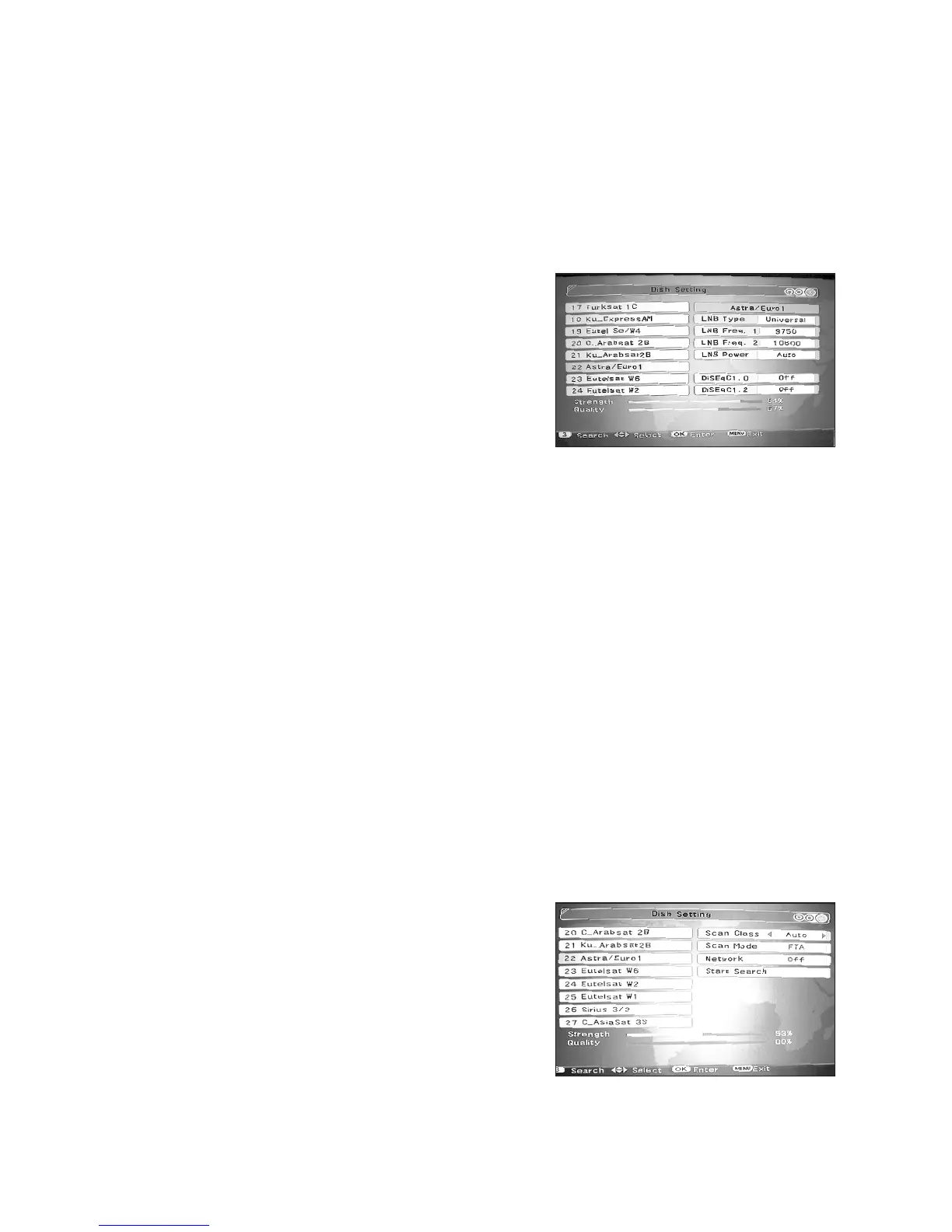
Proceed as follows; Select (highlight) the Satellite you wish to edit using the s/t keys
and then press “OK” to conrm. Press numeric key “2” (Edit). Then using the s/t
keys select the item from the drop down list on the right of the screen that you wish to
modify and press “OK”toconrm.Youcanthenusethekeystomakeyourdesired
changes, pressing “OK”toconrmwhenyouhavecompletedyourchange.Thispro-
cess can repeated for other parameters as required. Finally press “Menu”andconrm
your change/s by selecting and pressing “OK”.
6.1.3 Search Satellite
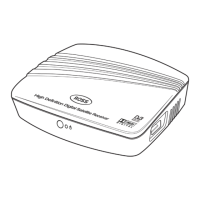
This function allows you to carry out a search on a particular Satellite to add the pro-
grammes from that Satellite to your available Programme List. Proceed as follows; Se-
lect (highlight) the Satellite you wish to search using the s/t keys and then press “OK”
toconrm.Pressnumerickey“3” Press numeric key “3” (Search). Then using the s/t
keys select the item from the drop down list on the right of the screen that you wish to
modify and press “OK”toconrm.Youcanthenusethekeystomakeyourdesired
changes.
The available options are shown below:
• Scan Class:
a. “Auto” scan is used for satellites, whose TP
information is preset in the STB
b. “Blind” scan is used when the TP
information is not preset in the STB or if the
TP information is out of date
• Scan Mode:
a. FTA (Free to Air)
b. ALL (Includes encrypted programmes only available by subscription)
13
t
t
/
t
t
/



 To Next Page