• Network (in Auto Scan): • Scan Type (in Blind Scan):
a. OFF a. Quick
b. ON b. Detail
NETWORK ON/OFF - When set to ON the Network Scans your selected SATEL-
LITE for any additional NEW transponders. When set to OFF it scans only the
preloaded factory list.
Having made your selections use the “OK” key to select “Start Search” and then press
“OK”toconrm.A“Progress” bar appears at the bottom of the screen. The search
process may take some time, do not power off or press any keys whilst the search is
taking place.
On completion you will be asked “Do you want to save”, press “OK” toconrm.
6.1.4 Add Satellite
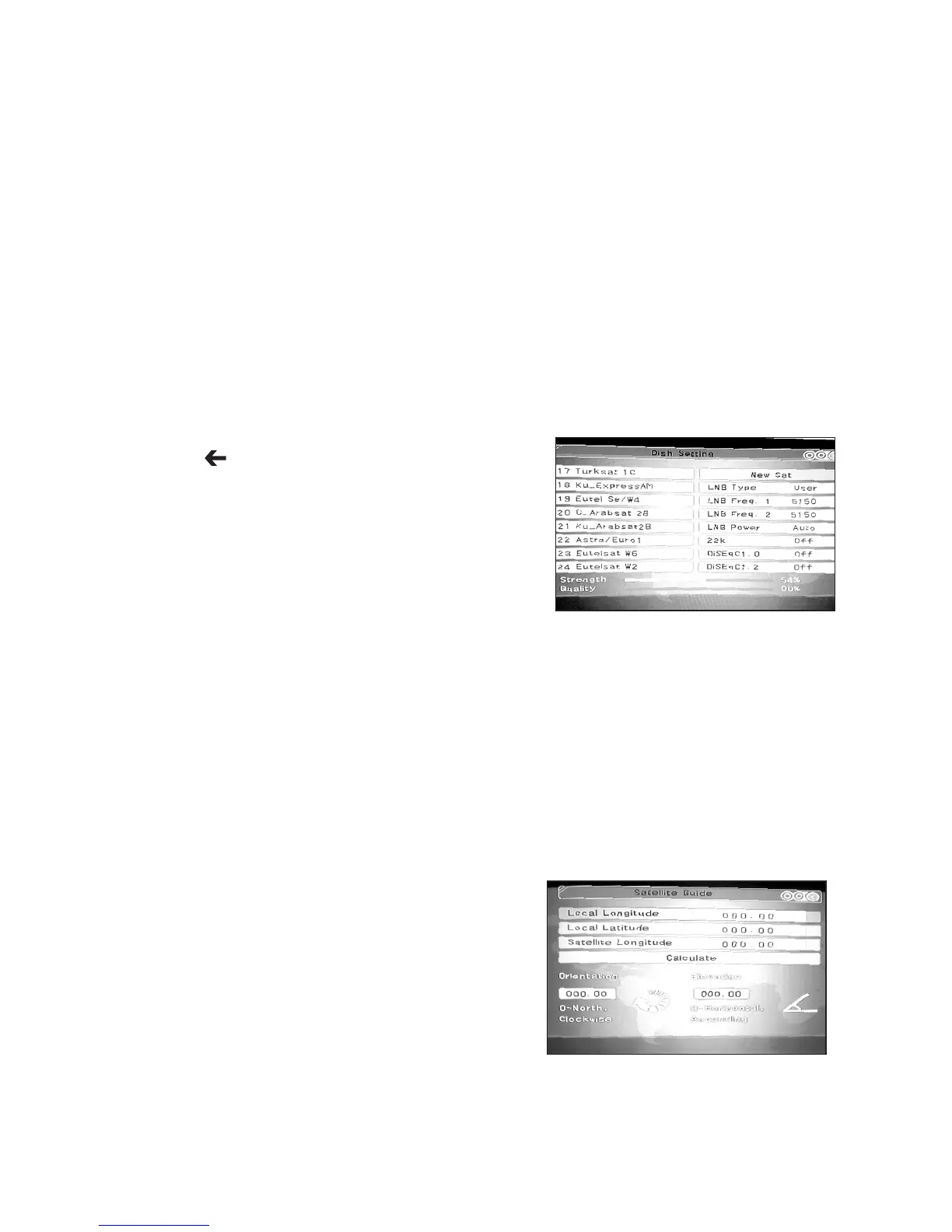
Here you can add a new satellite. Press “4” (Add). The default name of a new satellite
is “New Sat”. Press OK to rename it.
Select the “ ” key at the bottom right of the
keyboard and press the “OK” button at the bottom
right hand corner of the keyboard to delete
“New Sat”. Then select each character you require
and “OK”toconrmeachcharacter.Finallygoto
“OK” at the bottom right hand corner of the key
boardtoconrmandsavethenewname.Now
enter all the parameters listed on the right hand of
the screen using the s/t/ and numeric keys
as required. Finally, press “Menu” and then select “OK”pressingtoconrmandsave
your new Satellite. You can now Search for Programmes on your new Satellite following
the procedure in 6.1.3.
6.1.5 Delete Satellite
This can be used to delete any unwanted Satellites. Select the Satellite you wish to
delete from the drop down list on the left of your screen and press “OK”toconrm(a
redagwillappear).Nowpress“5” (Delete) and you will be asked “Do you want to
save”. Select and press “OK”toconrmandyourselectedSatellitewillbepermanently
deleted.
6.2 Satellite Guide
This useful feature provides you with a calculation
for the Orientation and Elevation of a Satellite
when you in put the following information:
Local Longitude
Local Latitude
Satellite Longitude
Using the s/t/ and numeric keys as required and the “OK”toselectandconrm
enter the data. Then select “Calculate” and press “OK”. The set up information for your
Satellite will now be displayed. This can be used to set up your Satellite Dish exactly to
the required settings.
14
t
t
/
t
t
/



 To Next Page