7.0 System Setting
This Menu provides access to various settings relating to the general operation of the receiver.
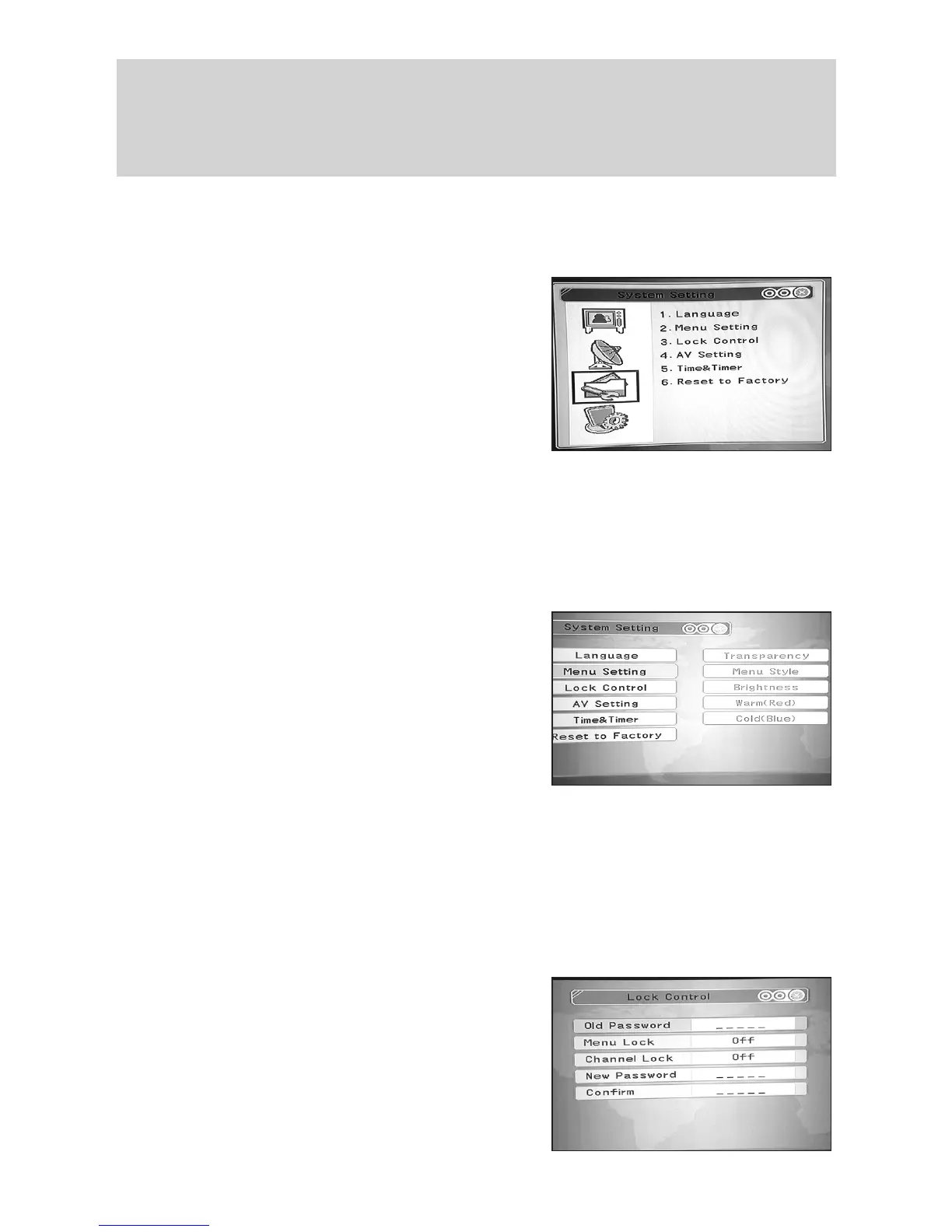
Press “Menu” and then using the s/t keys select “System Setting”. Press the key to
enter the “System Setting” menu. There are six options as follows:
a. Language
b. Menu Setting
c. Lock Control
d. AV Setting
e. Time and Timer
f. Reset to Factory
7.1 Language
Press the s/t keys and select “Language”. Then press the key and then the s/t to
select your chosen language (default is ENGLISH”). Press “Menu” and then select “OK”
and press to save your choice.
7.2 Menu Setting
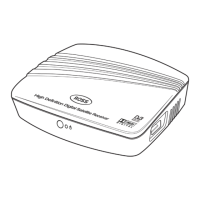
Here you can adjust various aspects of your on screen display, such as;
a. Transparency
b. Menu Style
c. Brightness
d. Warm (Red)
e. Cold (Blue)
Press the s/t keys and select “Menu Setting”.
Then press the key and then the s/t to select
the parameter you wish to change. Then using the s/t / and numeric keys as required
make the changes you wish pressing the ”OK”keytoconrm.Whenyouhavenished
press “Menu” and then select “OK” and press to save your choice.
7.3 Lock Control
This is used to prevent inadvertent changes to the setup of the Receiver or to restrict the ac-
cess to certain programmes which may be unsuitable for younger members of your family.
7.3.1 Menu Lock
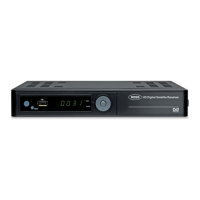
Press the s/t keys and select “Lock Control”.
Press the key, you will then be prompted to
enter your password (the default is 00000). Using
the tkey, scroll down to “Menu Lock” and then
using the set to “On”. Press “Menu” and
then select “OK” and press to save your choice.
If you now wish to enter the “Menu” the password
will have to be inputted to gain access.
15
t
t
/
t
t
t
t
t
/
t



 To Next Page