9
5.0 Menu System:
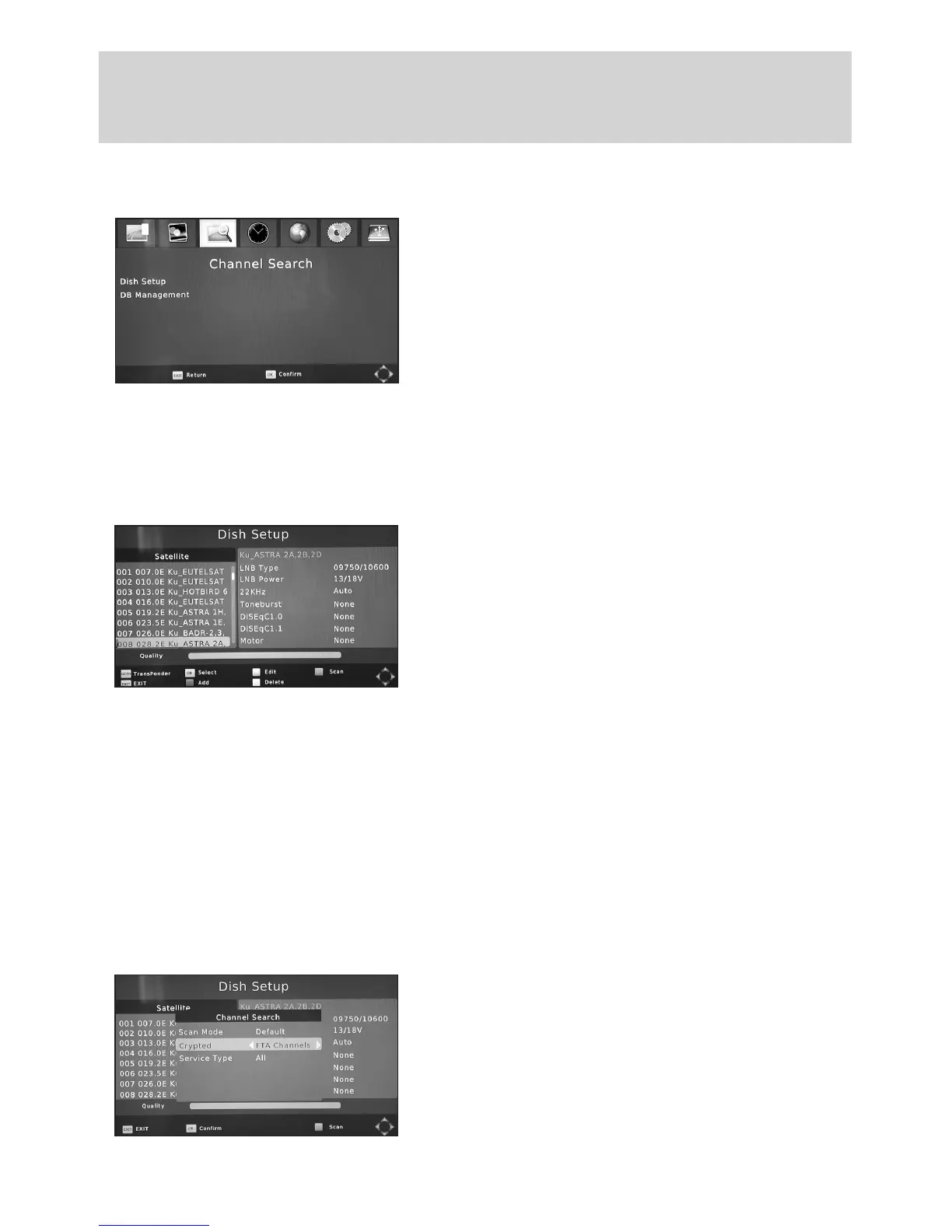
5.1 Channel Search
In this part of the manual only the basic installation is
covered. If you wish to set up your receiver to work
with a motorised dish then please refer to SECTION
6, “Advanced Installation”. The MENU provides access
to many features and functions which will help to
improve your enjoyment of your new product. Press
MENU to enter the INSTALLATION Menu, then use the
CH-, CH+ keys to select the item you wish to adjust and
the VOL-, VOL+ keys to select the new setting. Then press EXIT when you will be prompted
to save your changes. Select and press OK to store.
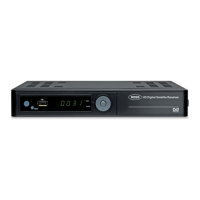
5.1.1 Selecting your Satellite
Use this option within the CHANNEL SEARCH menu to
select your desired Satellite.
NOTE:IfyouchangetheselectedSatelliteyou
mayneedtore-adjustyourdish.
When you are satisfied with the signal quality and
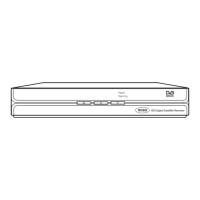
strength, Press the red “Scan” button. This reveals your
Scan options drop down menu.
5.1.2 Selecting your SCAN Options
ScanMode: Select the Scanning mode of your chosen satellite; FTA only (default), ALL or
Scrambled. Select your preference and then press OK to store.
DEFAULT: To Search for all the Free Channels available with the selected satellite or
transponders. (RECOMMENDED SETTING)
ALL: To Search for all the Free Channels + Scrambled Channels available with the
selected Satellite or Transponders.
NOTE:Changingthissettingfrom,forexample,
ALLtoFTAwillreducethenumberofProgrammes
storedasitwillremoveencryptedprogrammes
Thiswillmakethetaskofediting/sorting
programmeseasier.


 To Next Page