Programming the AY-Q64
AY-Q64 Installation and Programming Manual 15
6.1 Entering Programming Mode
To enter Programming mode:
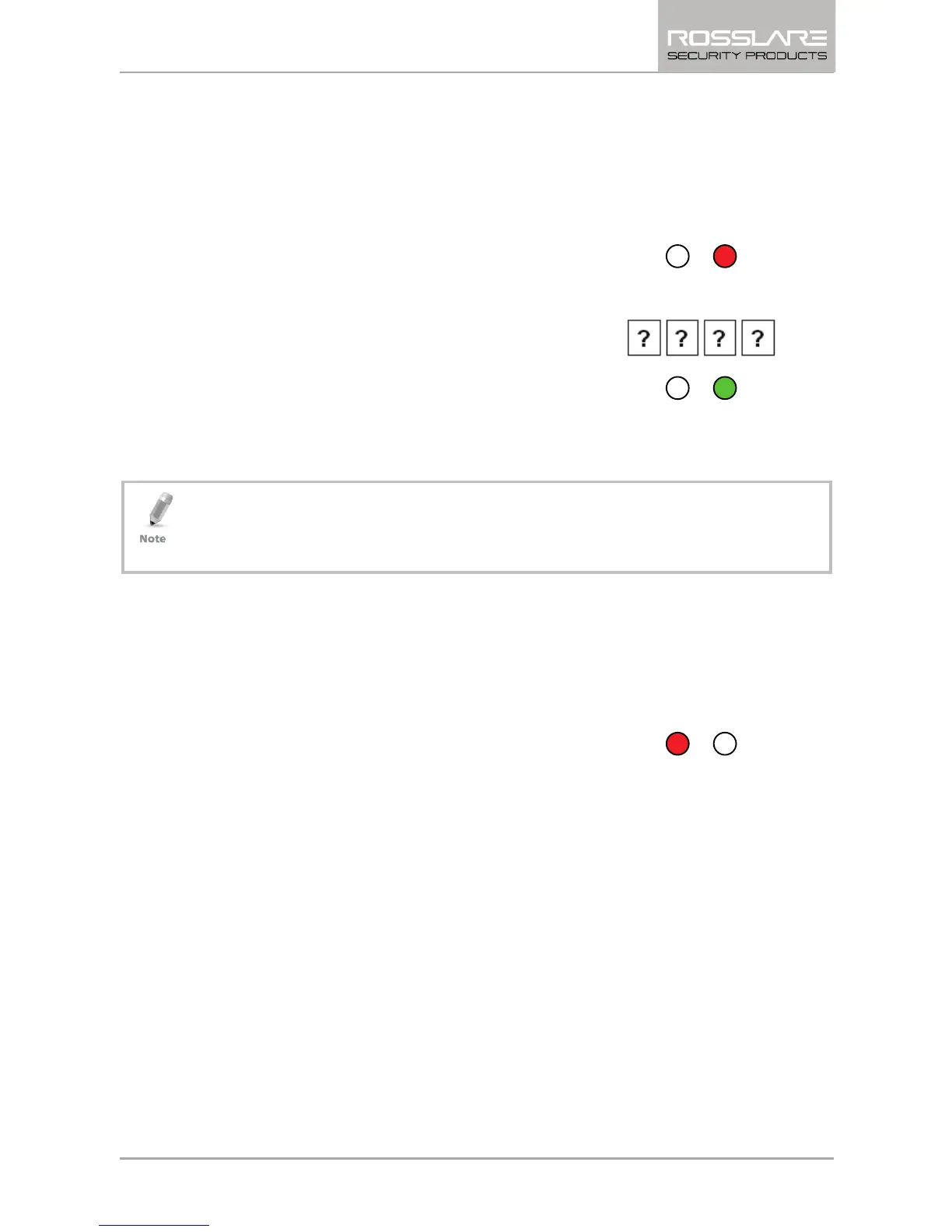
1. Press the # key 4 times within 2 seconds.
The Transmit LED turns off and the
Program LED turns red.
2. Enter your 4-digit Programming code.
If the Programming code is valid, the
Program LED turns green and the AY-
Q64 enters Programming mode.
• The factory default Programming code is 1234.
• If a Programming code is not entered within 30 seconds, the AY-
Q64 returns to Transmit mode.
6.2 Exiting Programming Mode
To exit Programming mode at any time:
1. Press the # key.
You hear 3 beeps.
The Program LED turns off and the
Transmit LED turns red.
This indicates that the AY-Q64 has returned to Transmit mode.
Wrong entries may reset the reader back to Transmit mode.
While in Programming mode, if no key is pressed for 30 seconds,
the AY-Q64 exits Programming mode and returns to Transmit
mode.


 To Next Page
 Loading...