32
User manual
Wired control - ORIS
EN
2. USER OPERATION
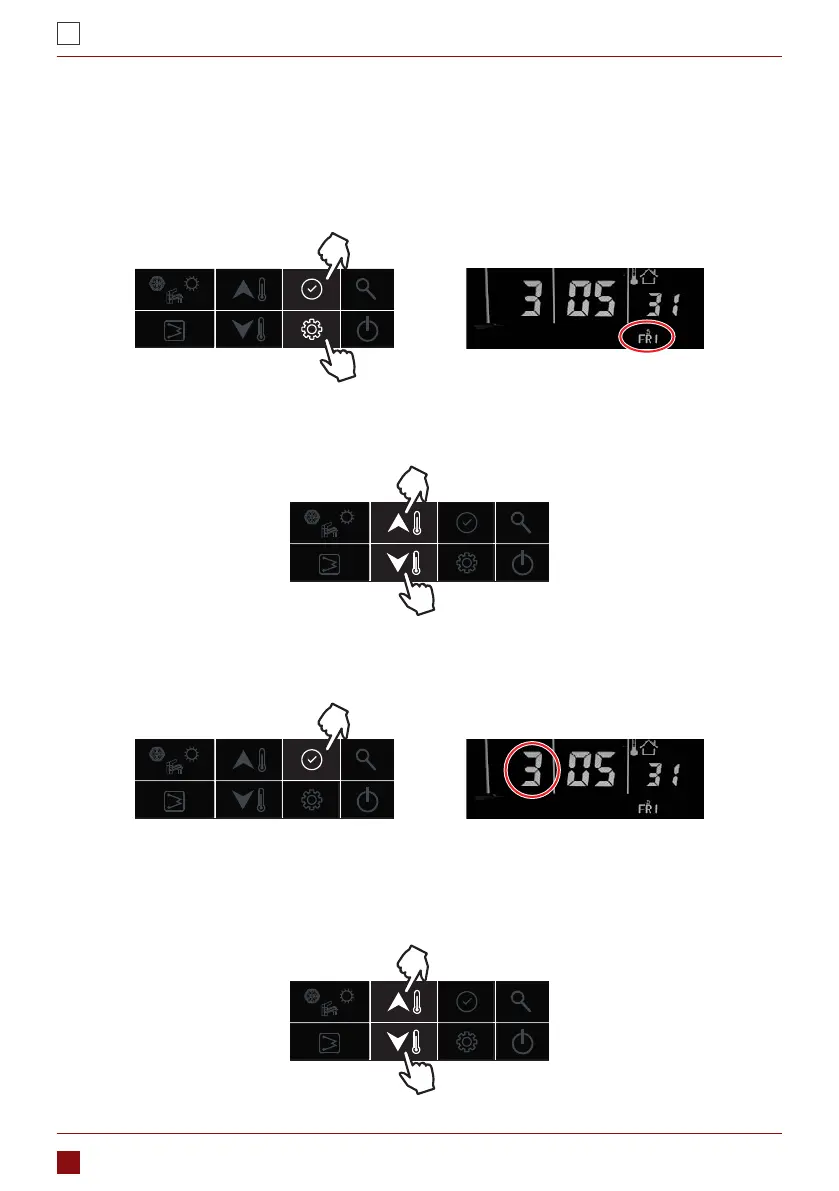
Before using the wired controller, it is necessary to set the time and day of the controller. Please follow below
steps to set the correct clock:
2.1. INTERFACE INTRODUCTION
1. Press the “setting” button, then press “conrm” button to enter day setting; the day is ashing at this moment.
2. Then press “up” or “down” button to change the day if necessary;
3. After day stetting, press the “conrm” button to enter hour setting, the hour is ashing at this moment.
4. Then press “up” or “down” button to set the correct time in hour;



 To Next Page