37User manual
Wired control - ORIS
EN
2.5. HOME/AWAY/ECO SETTING
To optimize energy eciency of the building, you can select the occupancy mode manually according to
following steps. Each occupancy mode is associated with a pre-dened temperature range.
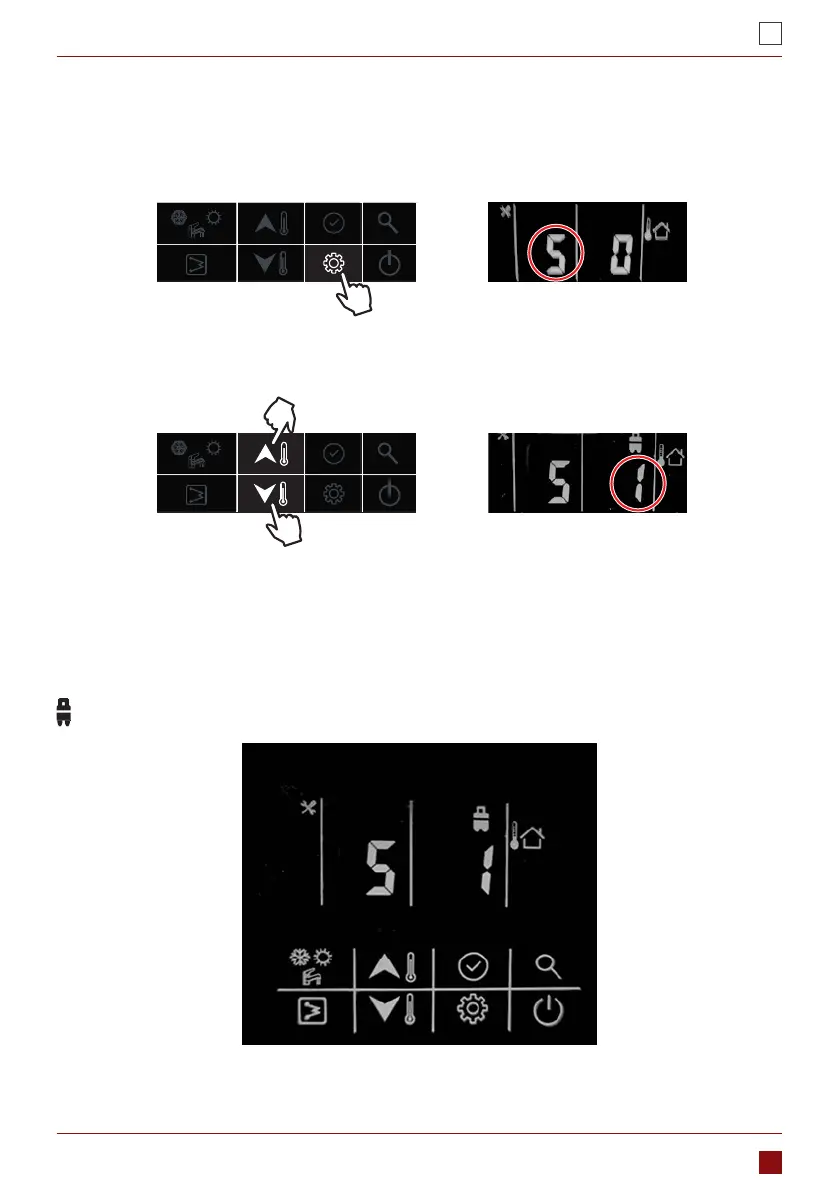
1. Press the “setting” button to item 5: Occupancy mode select
2. Press “up” or “down” button to change the value. (0-Home; 1-Eco; 2-Away)
3. Then press “conrm” button to conrm and exit user setting or you can also press “setting” button to go to
next item. (Refer to the user parameter conguration for the full parameters setting)
Example: Eco mode:
This coin is lighting after set the eco mode.



 To Next Page