4 x Start-up
26
FA ROTEX A1 BO - 10/2007
Start-up
• Switch on the mains switch. Wait for the start phase.
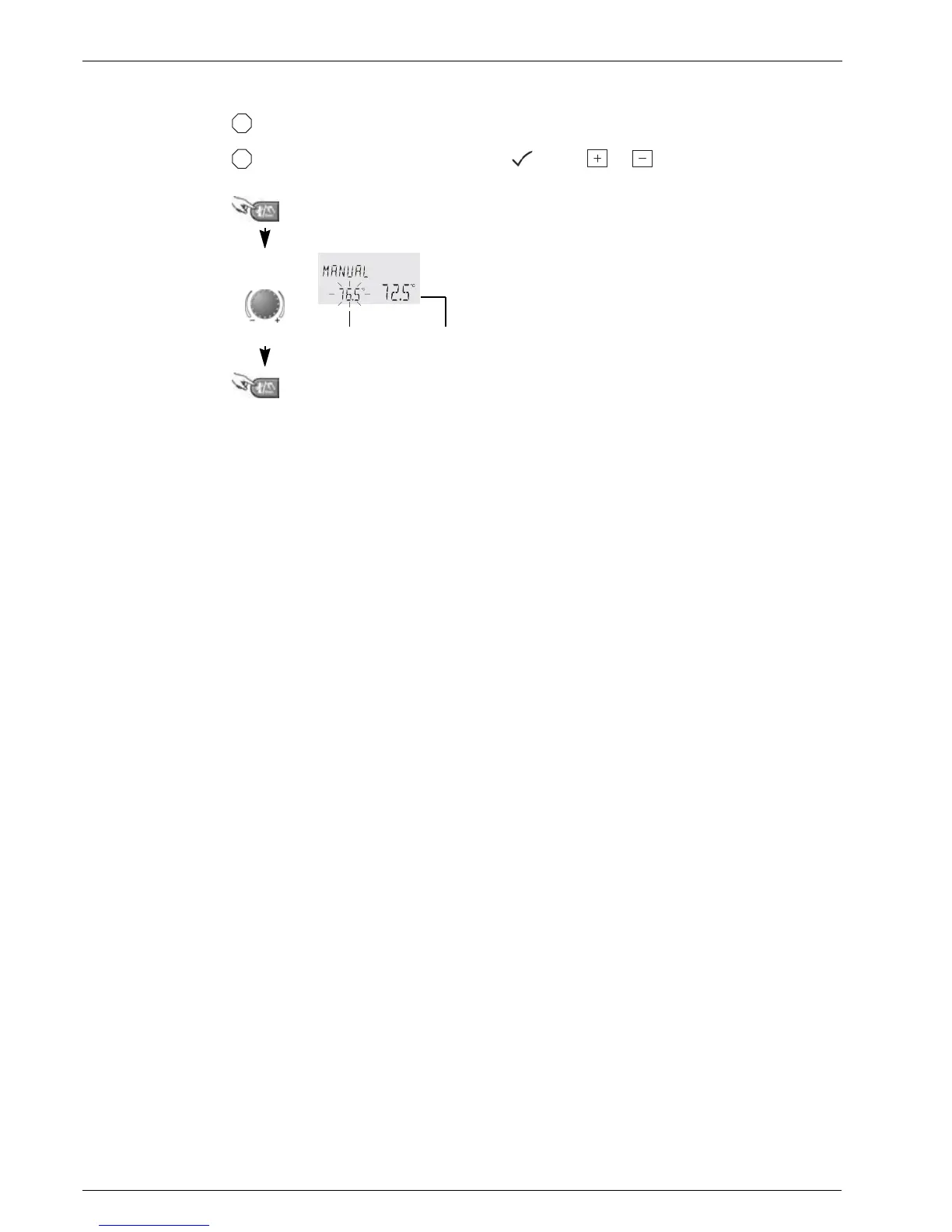
• Set the operating temperature for manual operation. You can do this by pressing the Manual button for about 5 seconds
and setting the operating temperature on the rotary button.
• Set the rotary switch "default settings" to position and press and simultaneously.
• Check burner settings using flue gas analyser and adjust if necessary (see chapter 6.3).
Press Manual button for approx. 5 s
Target
temperature
Change
Desired target value
(flashing)
Current actual value
Return to the original operating mode, default display, set
target value is saved
Fig. 4-3 Manual mode for control THETA 23R (set heat generator temperature)
q
a


 To Next Page