EasyManua.ls Logo

rotork CMR-100 - User Manual

rotork CMR-100
64 pages
Print Icon
To Next Page IconTo Next Page
Loading...
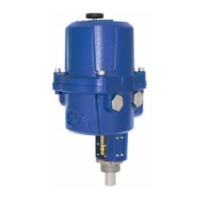
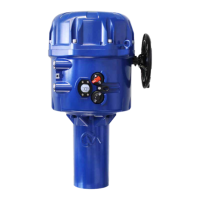
Linear, Rotary and Quarter-Turn
Control Valve Actuators
CMA Range
Installation & Maintenance Instructions
(After May 2014)
A4US
US
A4
US A4
US
A4
A4 US
US
A4
US
A4
A4 US
Question and Answer IconNeed help?

Do you have a question about the rotork CMR-100 and is the answer not in the manual?

Summary

4. Health and Safety

4.1 General Safety Precautions

Essential safety warnings before installation and operation, including suitability and protection.

4.2 Component-Specific Safety

Highlights safety related to static discharge, enclosure materials, handwheel, and local controls.

4.3 Reserve Power Pack Safety

Detailed safety instructions for handling the Reserve Power Pack, including capacitor discharge and ventilation.

5. Installation and Setup

5.1 Commissioning

Outlines the simple, safe, and rapid commissioning process for Rotork CMA actuators.

5.2 Installing Your Actuator

Step-by-step instructions and warnings for installing the actuator, including handwheel operation.

5.2.5 Local Controls and External Display

Details on optional local controls and the external LCD display for operation and status.

5.2.6 Reserve Powerpack Operation

Explains the function of the Reserve Powerpack for electrical operation during power failure.

6. Mounting the Actuator - CML Linear Actuators

6.1 CML Linear Unit Mounting

Step-by-step guide for mounting CML linear actuators to valves, including alignment and coupling.

7. Mounting the Actuator - CMQ Quarter-Turn Actuators

8. Mounting the Actuator - CMR Rotary Actuators

9. Installation and Setup - All CMA Units

10. Basic Setup

10.1 Basic Setup

Overview of the essential setup procedures required after actuator mounting.

10.4 Select Local Operation

Guides on setting the actuator to Local Operation mode before configuring travel limits.

10.5 Set Output Torque;Thrust

Instructions for adjusting the output torque or thrust settings for proper valve operation and seating.

10.6 Select Action at End of Travel

Configuration of how the actuator stops at end of travel, either by position limit or applied torque/thrust.

10.7 Set Closed Limit of Travel

Procedure for setting the actuator's closed end of travel limit position.

10.8 Set Open Limit of Travel

Procedure for setting the actuator's open end of travel limit position.

10.9 Calibrate Command Signal Zero Setpoint

Explains automatic calibration of the 4-20 mA signal for closed position.

10.9.2 Calibrate Command Signal Zero Setpoint Using External Signal

Steps to manually calibrate the zero setpoint using a 4-20 mA external signal.

10.9.3 Calibrate Command Signal Span Setpoint Using External Signal

Steps to manually calibrate the span setpoint using a 20 mA external signal.

10.10 Set Command Signal Invert

Configuration option to invert the command signal for 4-20mA input.

10.11 Set Transmitter Signal Invert

Configuration option to invert the transmitter signal for feedback.

10.12 Set Deadband

Adjustment of the deadband to prevent hunting or overshoot in control response.

10.13 Completing Basic Setup

Final steps for completing basic setup, including refitting the top cover and setting operation mode.

12. Status Alarm Menu

13. Fault History Menu

14. Default Menu

15. Advanced Menu

Summary

4. Health and Safety

4.1 General Safety Precautions

Essential safety warnings before installation and operation, including suitability and protection.

4.2 Component-Specific Safety

Highlights safety related to static discharge, enclosure materials, handwheel, and local controls.

4.3 Reserve Power Pack Safety

Detailed safety instructions for handling the Reserve Power Pack, including capacitor discharge and ventilation.

5. Installation and Setup

5.1 Commissioning

Outlines the simple, safe, and rapid commissioning process for Rotork CMA actuators.

5.2 Installing Your Actuator

Step-by-step instructions and warnings for installing the actuator, including handwheel operation.

5.2.5 Local Controls and External Display

Details on optional local controls and the external LCD display for operation and status.

5.2.6 Reserve Powerpack Operation

Explains the function of the Reserve Powerpack for electrical operation during power failure.

6. Mounting the Actuator - CML Linear Actuators

6.1 CML Linear Unit Mounting

Step-by-step guide for mounting CML linear actuators to valves, including alignment and coupling.

7. Mounting the Actuator - CMQ Quarter-Turn Actuators

8. Mounting the Actuator - CMR Rotary Actuators

9. Installation and Setup - All CMA Units

10. Basic Setup

10.1 Basic Setup

Overview of the essential setup procedures required after actuator mounting.

10.4 Select Local Operation

Guides on setting the actuator to Local Operation mode before configuring travel limits.

10.5 Set Output Torque;Thrust

Instructions for adjusting the output torque or thrust settings for proper valve operation and seating.

10.6 Select Action at End of Travel

Configuration of how the actuator stops at end of travel, either by position limit or applied torque/thrust.

10.7 Set Closed Limit of Travel

Procedure for setting the actuator's closed end of travel limit position.

10.8 Set Open Limit of Travel

Procedure for setting the actuator's open end of travel limit position.

10.9 Calibrate Command Signal Zero Setpoint

Explains automatic calibration of the 4-20 mA signal for closed position.

10.9.2 Calibrate Command Signal Zero Setpoint Using External Signal

Steps to manually calibrate the zero setpoint using a 4-20 mA external signal.

10.9.3 Calibrate Command Signal Span Setpoint Using External Signal

Steps to manually calibrate the span setpoint using a 20 mA external signal.

10.10 Set Command Signal Invert

Configuration option to invert the command signal for 4-20mA input.

10.11 Set Transmitter Signal Invert

Configuration option to invert the transmitter signal for feedback.

10.12 Set Deadband

Adjustment of the deadband to prevent hunting or overshoot in control response.

10.13 Completing Basic Setup

Final steps for completing basic setup, including refitting the top cover and setting operation mode.

12. Status Alarm Menu

13. Fault History Menu

14. Default Menu

15. Advanced Menu

rotork CMR-100 Specifications

General IconGeneral
Brandrotork
ModelCMR-100
CategoryController
LanguageEnglish

Related product manuals