8
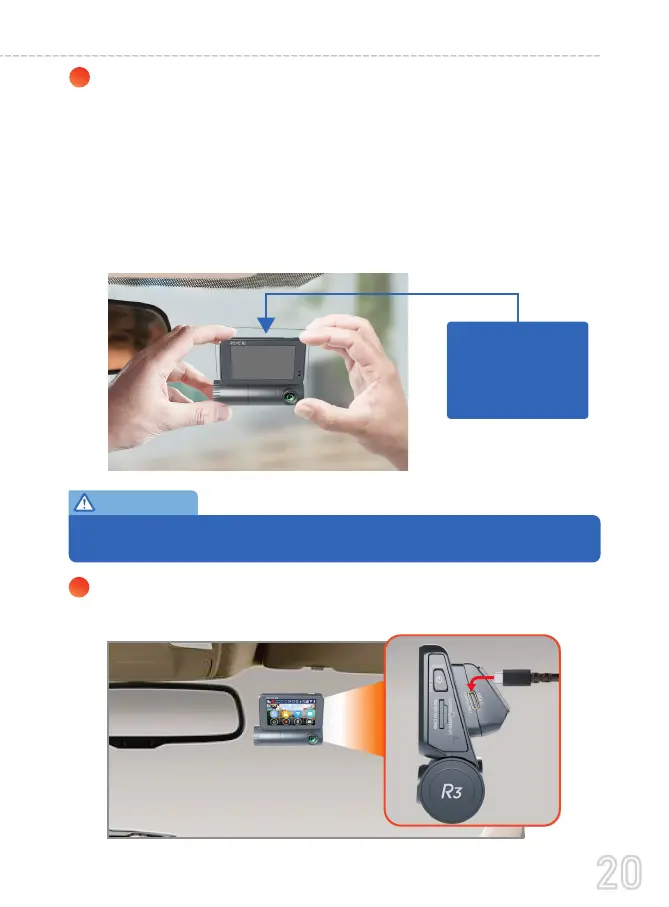
Connect the 12FT USB Type-C Power Cable for front camera
into the sticky windshield mount.
Now, carefully peel off the RED side of the 3M film from the
mount side (and again, making sure NOTto touch theglue
with fingers).Then gently stick the front camera on the wind-
shield over the electrostatic film. Then use both hands to apply
even pressure to the camera from both sides for about 30
seconds. This should create a proper bond between 3M
Sticky-Mount & mount to windshield over the electrostatic
film, and adjust the view angle accordingly.
7
Please ensure the camera's field of view (lens) is NOT overlapping the
electrostatic film. otherwise, your video will look blurry.
IMPORTANT:
Apply pressure
toward the
windshield.
20
USER MANUAL



 To Next Page