The timelapse mode feature of the camera is enabled.
WHY R3 DASH CAMS VIDEO ARE RECORDED IN
THE VIDEOS AT NORMAL SPEED?
To make your video play at a normal speed, please set the
TIME-LAPSE VIDEO = OFF by going into the Video
Settings>Timelapse menu.
Now record a new video and test it again to make sure it plays
video normally.
8
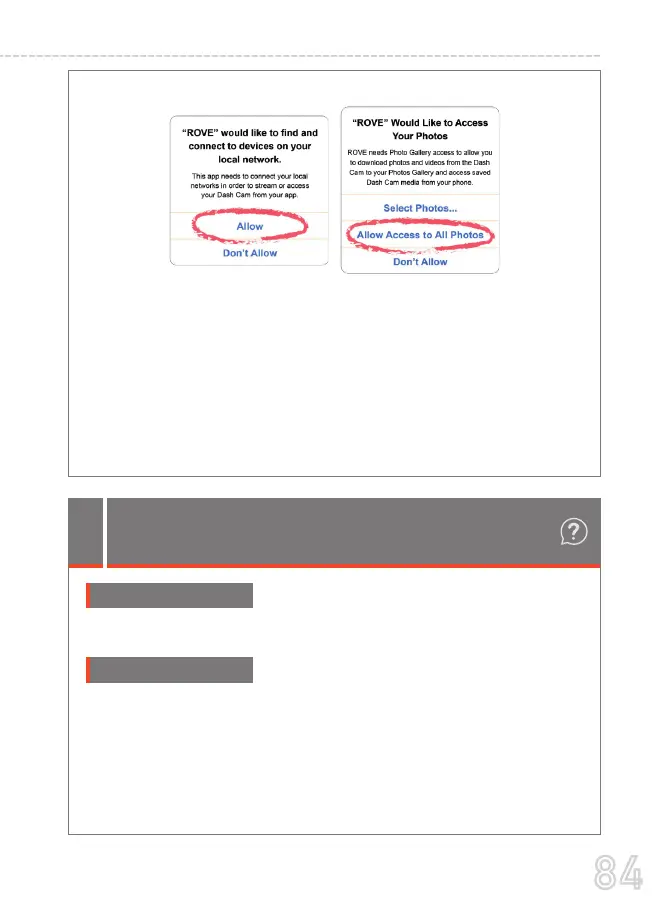
Uninstall/Reinstall the ROVE App, select Allow as shown.
Sign into the ROVE APP.
Reconnect to ROVE's R3 Wifi Connection.
You have now successfully connected to ROVE R3's Wifi &
can use the APP to View/Download & Configure R3's
Video/System Settings directly on the APP.
1.
2.
3.
4.
After the above Changes are made,
84
USER MANUAL



 To Next Page