152
Symphony - Radio
RADIO CONTROLS
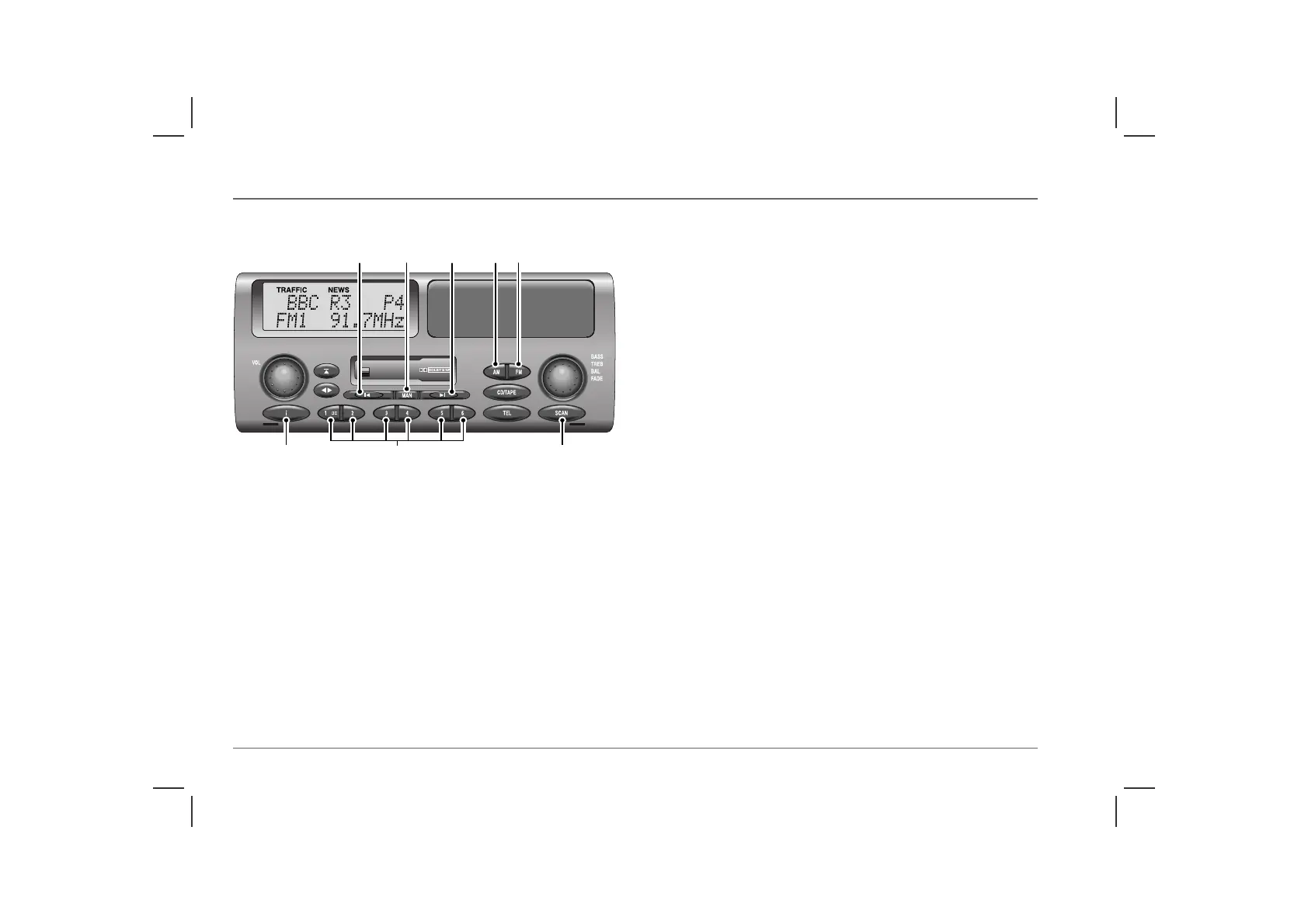
3. FM waveband selector
Press briefly once or twice to select FM frequencies. There are two
FM bands (FM1 and FM2). Both have the same tuning range, and
each one can be used to store six frequencies on the pre-set
buttons.
Press and hold to activate auto-store (see ‘AUTO-STORE’,
page 159).
4. AM waveband selector
Press briefly once, twice or three times to select one of the three
AM bands (MW1, MW2 and LW). Each can be used to store six
stations on the pre-set buttons.
Press and hold to activate auto-store (on MW only - see ‘AUTO-
STORE’, page 159).
5. Tuning buttons
Briefly press either button to search up or down the frequency
range (see ‘RADIO TUNING’, page 157).
6. Manual tuning selector
Press to select manual tuning mode (‘MAN’ is displayed) - use in
conjunction with the tuning buttons (see ‘Manual tuning’,
page 157). Press again to return to automatic tuning.
The frequency can also be selected using the remote switches on
the steering wheel (see ‘Remote audio controls’).
NOTE: Manual tuning defaults to automatic tuning if unused for more
than 14 seconds.
7. Pre-set buttons (1-6)
Use to store up to 6 radio stations on each waveband.
Press briefly to select a stored frequency.
Press and hold (until radio bleeps) to store a frequency on a pre-set
(see ‘Programming the pre-sets’, page 158).
ICE0152
9 7 8
34565



 To Next Page