156
Symphony - Compact Disc Player
Symphony - Compact Disc Player
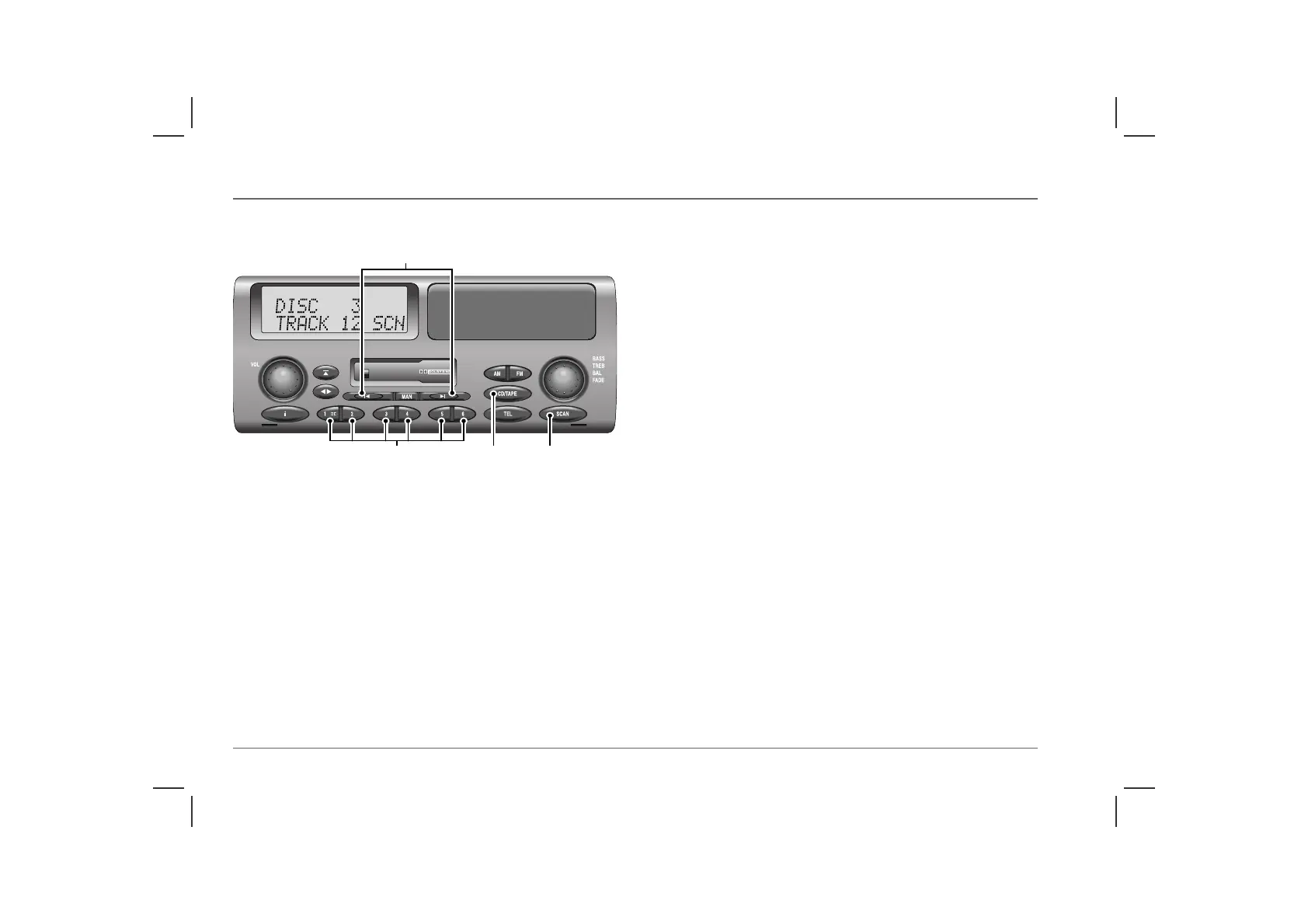
COMPACT DISC PLAYER CONTROLS
17. CD mode selector
Press to select CD player mode. Playback starts from the point on
the disc at which play last stopped, or from the start of the first disc
if the magazine is newly inserted. The display shows disc and track
numbers (i.e. ‘DISC 3 TRACK 12’). If no magazine has been
inserted into the autochanger, ‘NO MAGAZINE’ is displayed.
At the end of each disc, playback automatically continues with the
next disc (missing discs are skipped if less than six have been
loaded).
NOTE: If a magazine compartment is empty or a disc has been inserted
into the magazine upside down, ‘NO DISC’ is displayed.
18. Disc selection buttons (1-6)
Press the appropriate button to select a disc.If an empty
compartment is selected, the next available disc is selected instead.
19. Track search buttons
Press the appropriate button once to skip to the beginning of the
next track, or to return to the start of the current track. Press either
button repeatedly to select other tracks on the disc. If a button is
pressed and held, the CD player continues to skip tracks (forwards
or backwards) until the button is released.
Search: Press the manual mode button (‘MAN’), then press and
hold the appropriate search button to move forward or backward
through the disc in play mode, but at increased speed (volume
reduces and display shows ‘FFWD’ or ‘FREW’).
20. Scan mode button (SCAN)
Press the SCAN button to listen to the first 10 seconds of every
track on the selected disc. ‘SCN’ appears in the display, along with
the number of the disc and the scanned track. The scan continues
until the button is pressed again or until another function is
selected.
By pressing and holding the SCAN button for approximately 2
seconds, random play mode is activated, whereby tracks from any
of the discs will be played in random order (‘RND’ and the disc
and track numbers are displayed).
NOTE: The compact disc player controls will operate only with the
optional CD changer unit.
NOTE: Skip and mode selection can be operated using the remote
switches on the steering wheel (see ‘Remote audio controls’)
ICE0154
19
201718



 To Next Page