22
SAT EXPERT
___________________________________________________________
The SATEXPERT SW function (guided satellite tracking function), is a valuable aid for a fast
satellite antenna pointing to a wanted satellite.
Through text messages, which appear from time to time on the screen, the measuring
instrument will indicate in which direction to move the satellite dish, to the east or to the west,
until you reach the wanted satellite.
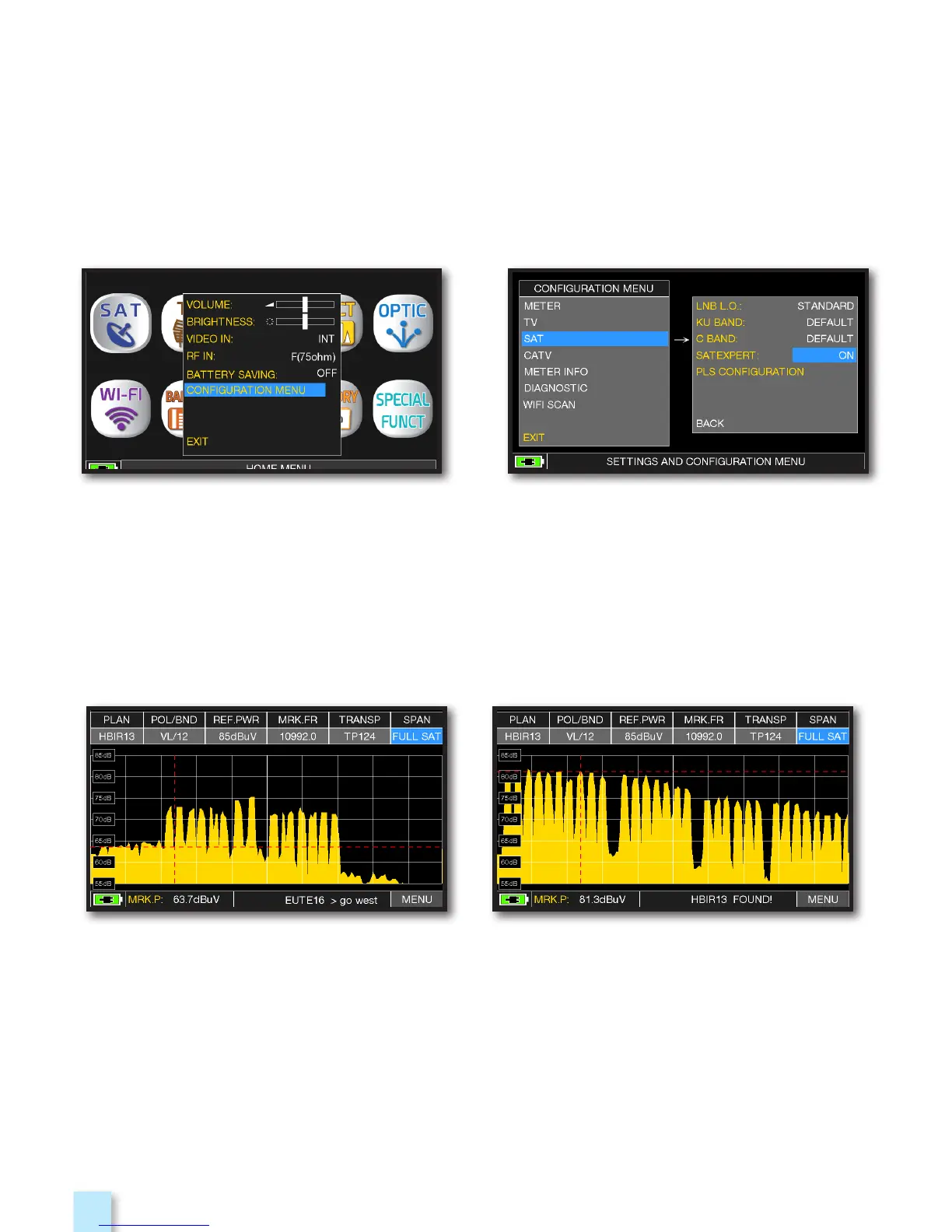
EXAMPLE 1: EXAMPLE 2:
The satellite you have pointed is not correct.
the lower part of the display shows the
following information:
EUTE 16 > G0 WEST
(move the satellite dish west).
Satellite found.
the lower part of the display shows the
following information:
HBIR13 FOUND!
(the satellite that has been pointed is correct)
Touch “CONFIGURATION MENU”
from the VOLUME screen
In SAT mode, press the PLAN key and select the satellite to be pointed, for example HBIR
13.
Press the SPECT key, touch “SPAN” and select “Satxprt”.
Here you can find some examples:
Touch “SAT”, then in “SAT EXPERT”
and select “ON”



 To Next Page