67
OPTIONAL “APPS”
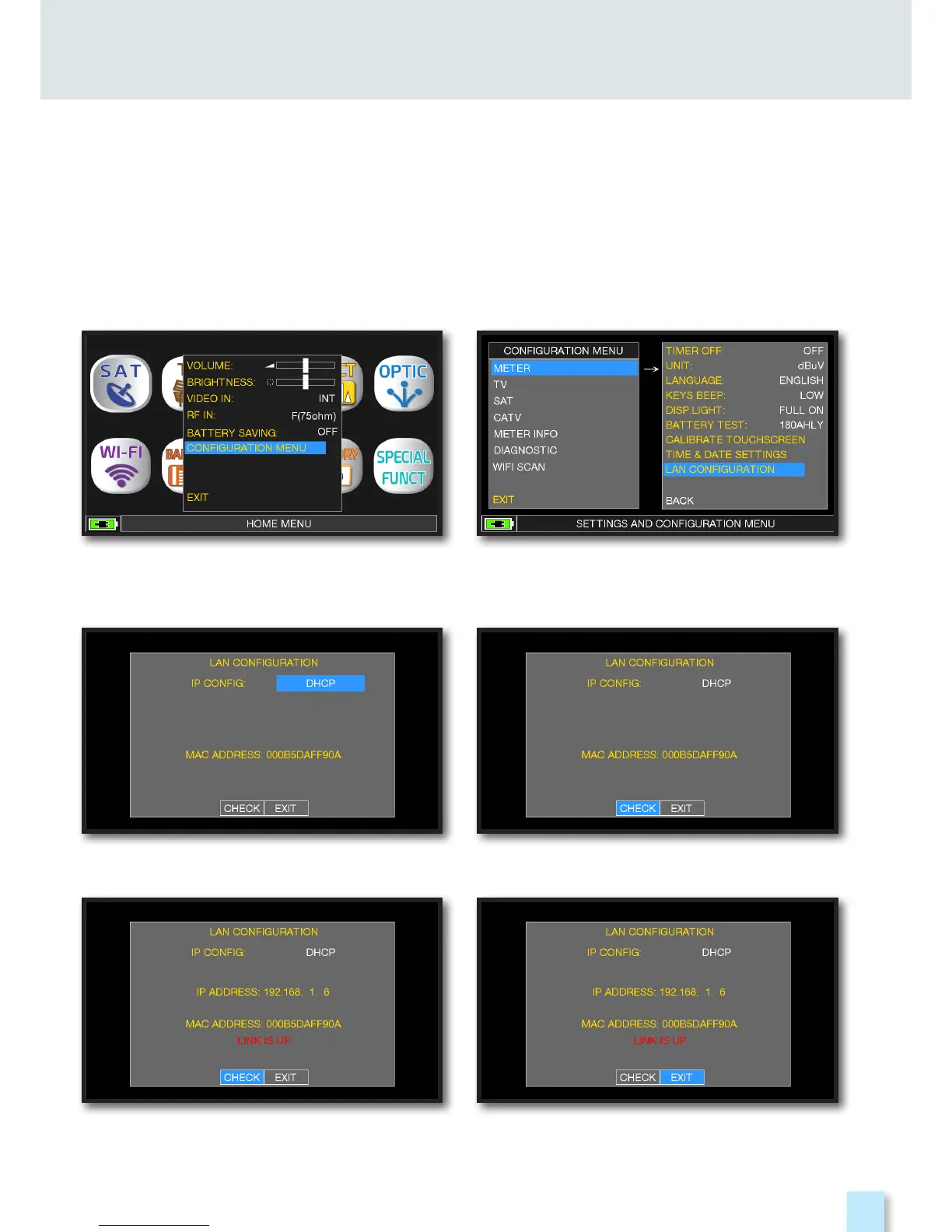
“DHCP” CONFIGURATION EXAMPLES.
REMOTE CONTROLL
____________________________________________
The SW REMOTE CONTROLL application allow to configure and memorized the instruments
and all measurements remotely via web browser (PC, TABLET and SMARTPHONE)
Touch “CONFIGURATION MENU”
from “VOLUME” screen.
Touch “IP CONFIG” and select “DHCP”.
IP address assignment to be inserted into
the web browser done.
Touch “METER” and then
“LAN CONFIGURATION”.
Touch “CHECK”.
At the end touch “EXIT” to exit.



 To Next Page