37
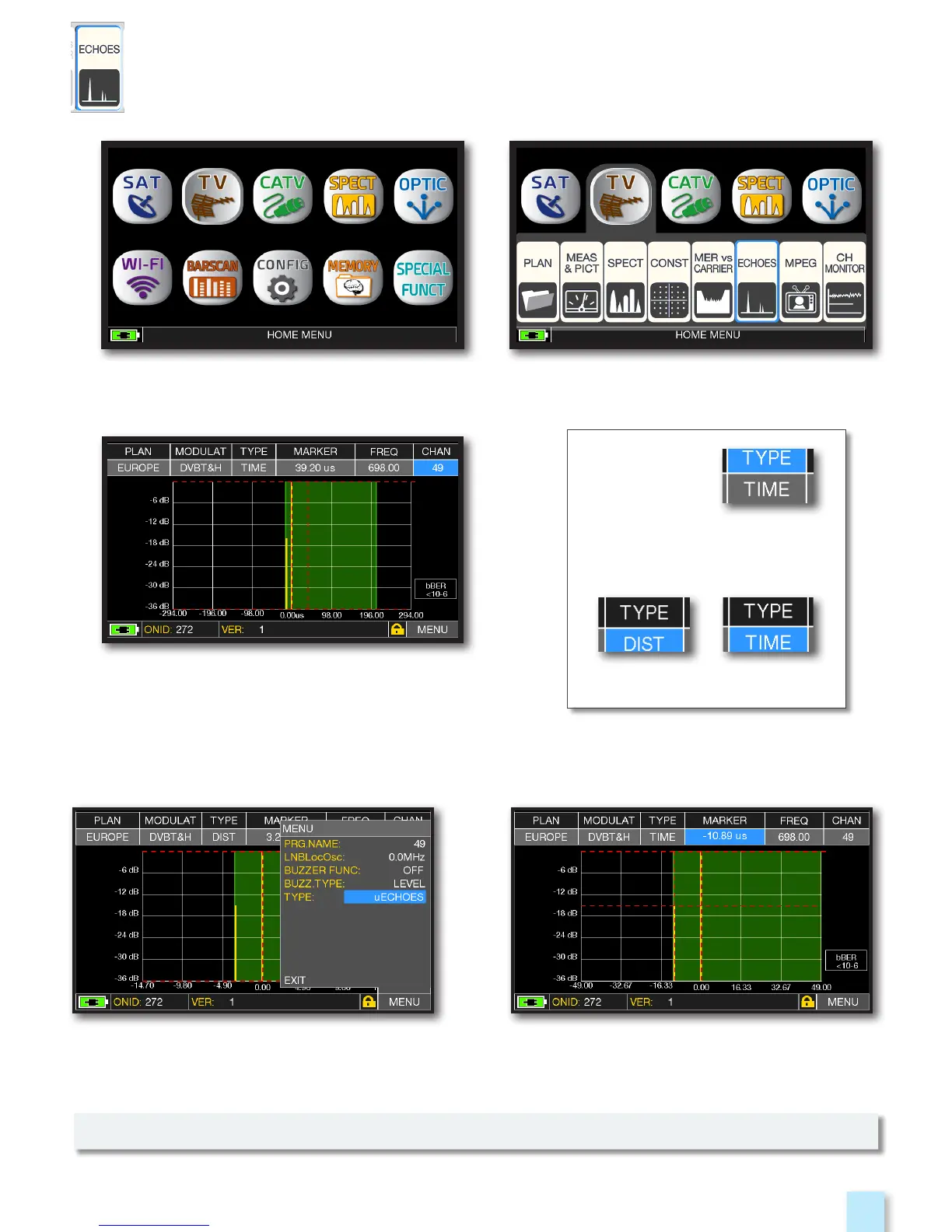
Touch “MENU”, than “TYPE”
and select “µECHOES”.
NOTE: Other echo visualization modes are available in the “TYPE” menus
MicroEchoes visualization,
touch the Marker and rotate the
encoder to select the ECHOES.
MICROECHOES VISUALIZATION
________________________________
Touch “TYPE”
and select the echoes
visualization mode:
DISTANCE or TIME
Impulse response (echo).
ECHOES ANALYSIS
__________________________________________
Press the “HOME” key. Touch “TV” and then “ECHOES”
or use the encoder.



 To Next Page