47
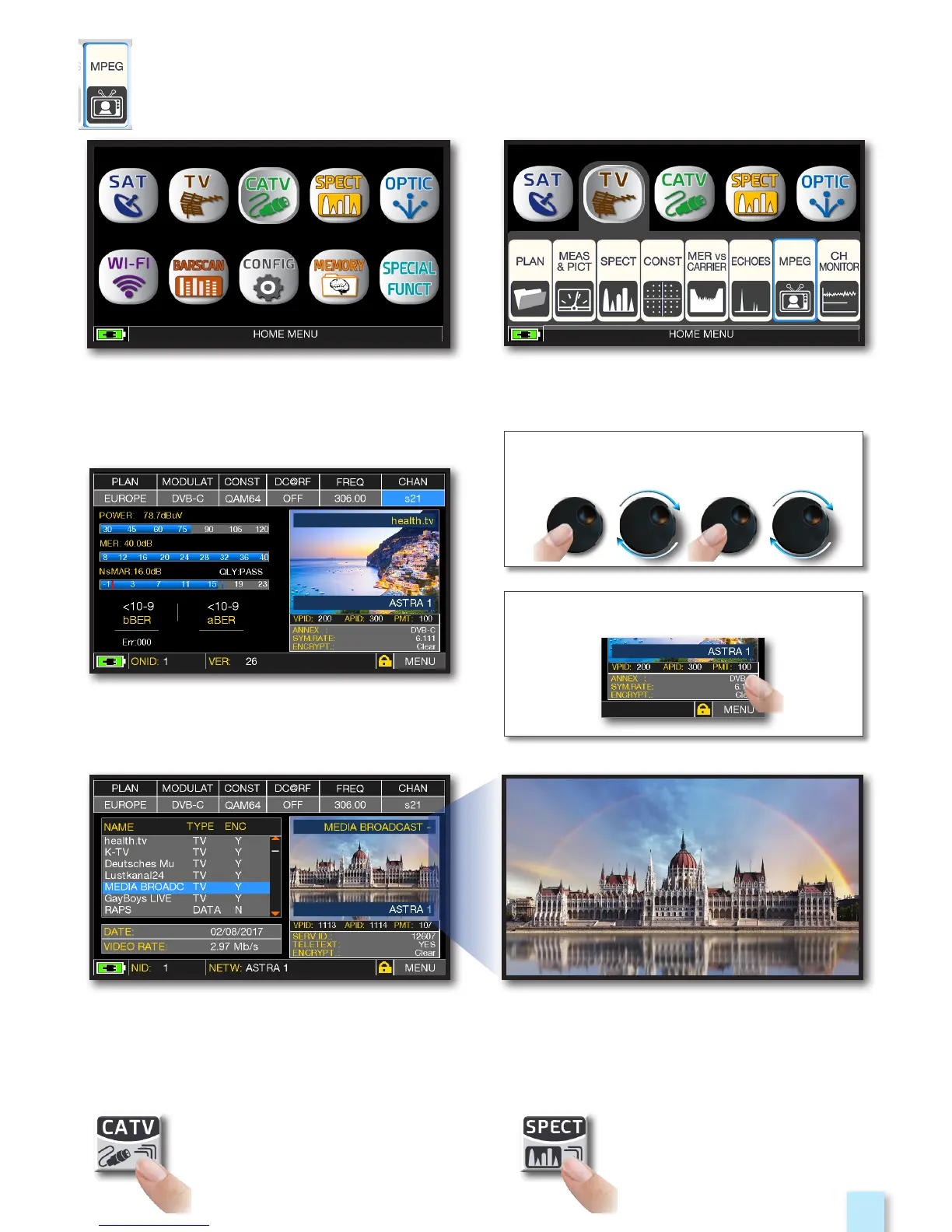
Press the “HOME” key.
Touch “CATV” and then “MPEG”
or use the encoder.
RELATED FUNCTIONS
_________________________________________
IMAGES VISUALIZATION & SERVICE CHOICE
__________
Images and MPEG service list.
Touch the image to enlarge.
Touch again to come back at the service list.
RADIO & TV service selection.
Press repeatedly to navigate
into CATV measures screens:
Measures, Constellation.
Press to enter in
the spectrum.
Touch directly the RADIO/TV desired
service or use the encoder
or touch “Vpid-Apid” in Measure screen.


 To Next Page