17
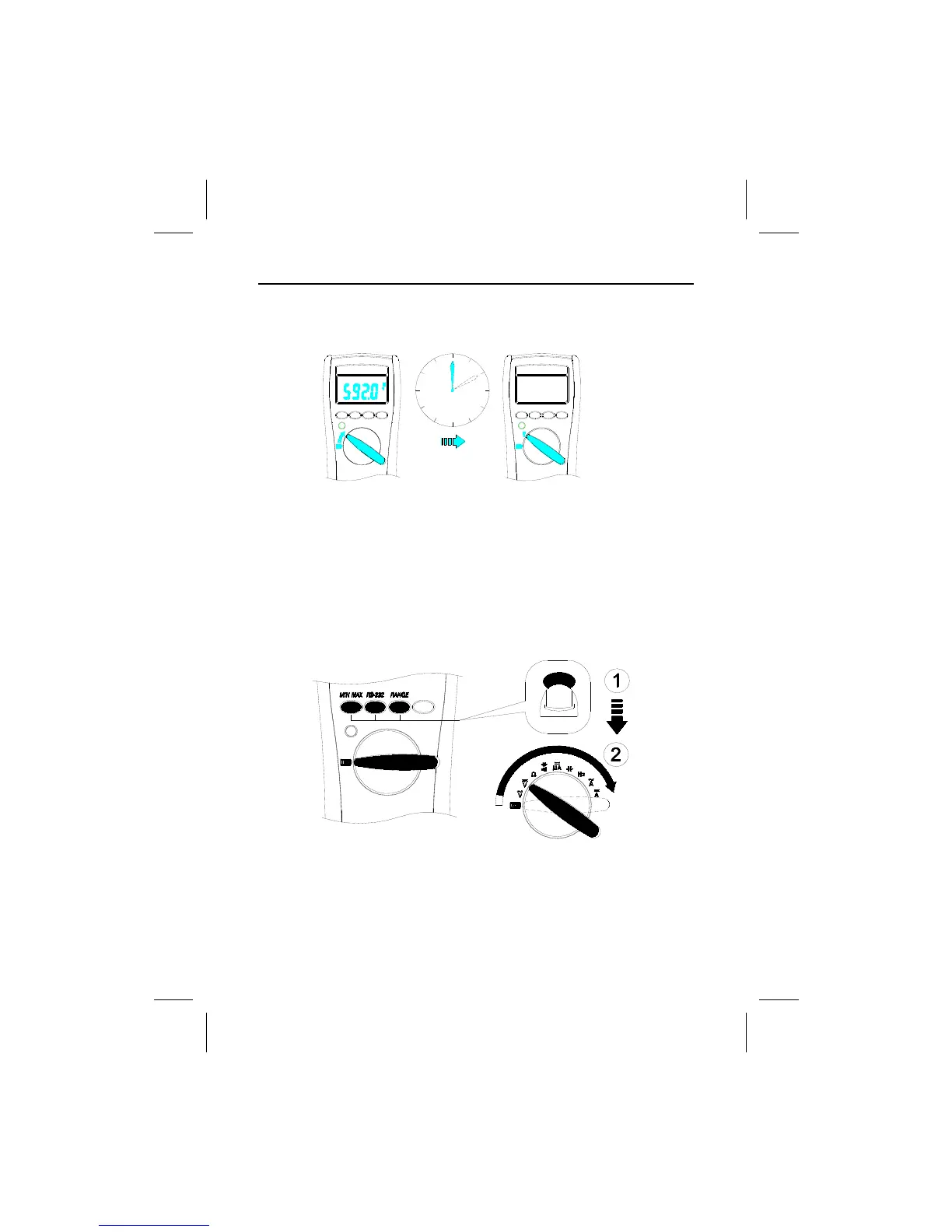
Auto Power Off (Battery Saver)
Note – If the meter idles for more than 10 minutes, the meter automatically turns
the power off. When this happens, the LCD displaying-state of the meter is saved.
The meter can be turned back on by pushing any button, the LCD displays the
saved state. Pushing Hold button to disables the hold state. Any button press or
rotary switch change resets the time of Auto Power-OFF.
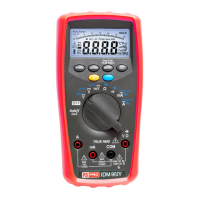
Disable Auto Power Off
Using The Features


 To Next Page