AUDIO DISTRIBUTION
Technical Support: support@rticontrol.com - Customer Service: custserv@rticontrol.com 20
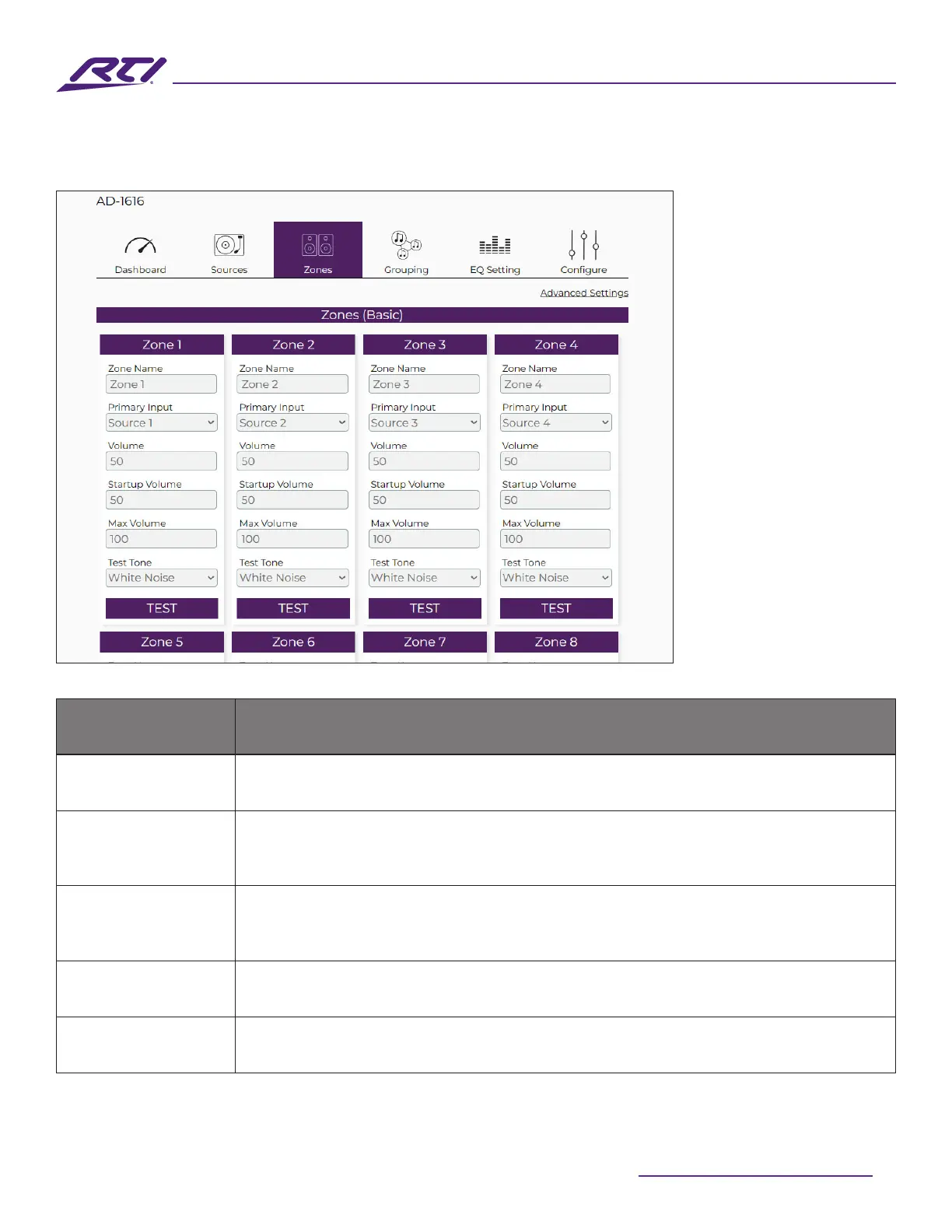
Zones (Basic)
Option Description
Zones Each zone is displayed with user denable options.
Zone Name
The zone name can be modied to help identify or dene a zone. The name
entered here will be visible in various locations of the GUI where zones are
referenced.
Primary Source
Selects the primary audio source from the available sources in a drop-down list.
Additionally, a zone can also be set to “O” which will disable any audio output
and puts the zone into a standby state.
Volume Sets the zone volume level (relative) to a value from 0 -100.
Startup Volume
Sets the startup volume level (relative) of the zone when the matrix or zone is
powered on. Values are between 0 to 100.



 To Next Page