AUDIO DISTRIBUTION
Technical Support: support@rticontrol.com - Customer Service: custserv@rticontrol.com 26
Grouping
Option Description
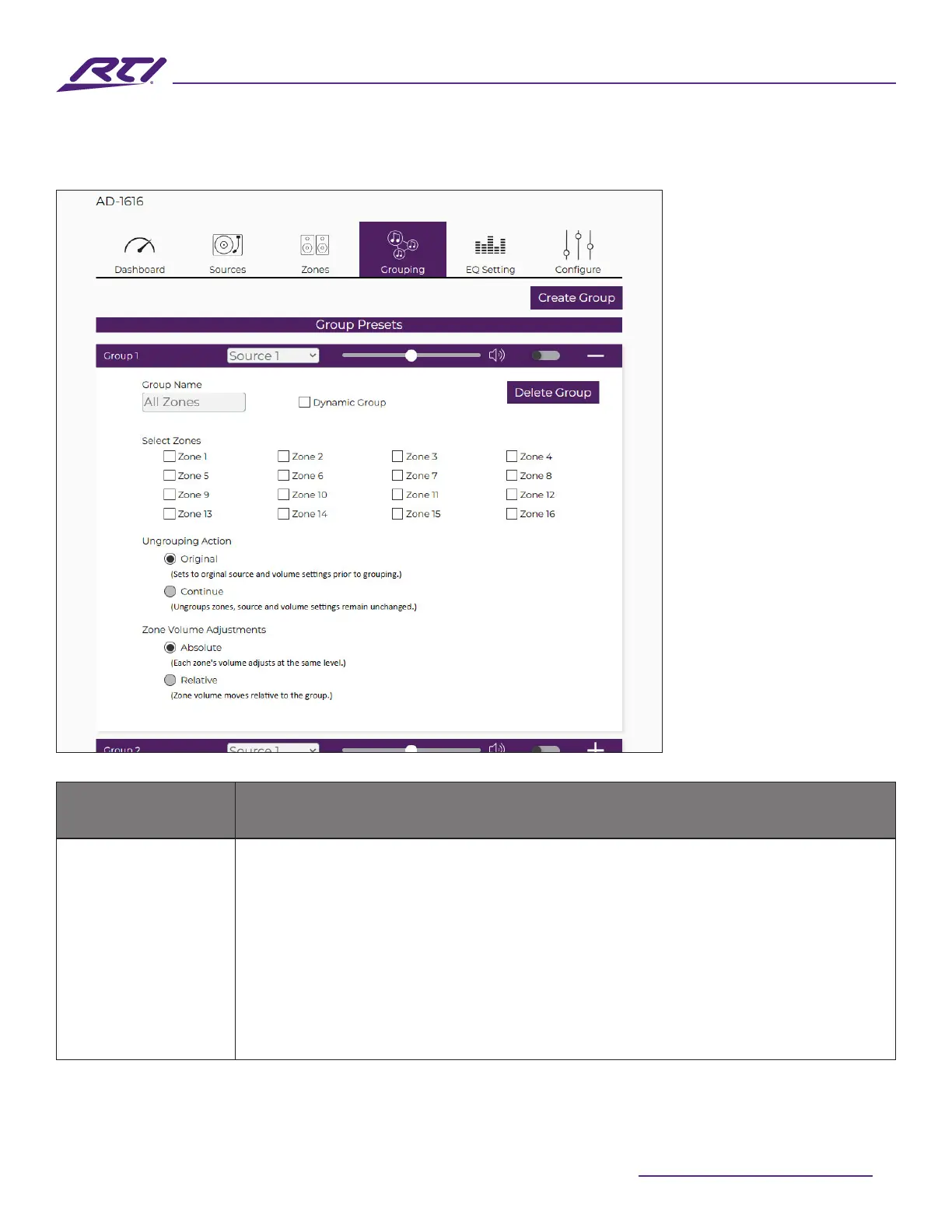
Group Presets
Grouping is a feature that will essentially tie the source routing and audio volume
of multiple zones together. When a group is active, zones that are part of the
active group will not be able to individually select their source. Each included
zone in a group will be able to adjust their volume level depending on the group’s
Zone Volume Adjustments setting. This allows all zones in a group, as a whole,
to have their source and volume settings managed in unison. This is useful for
setting up scenarios where it is desirable to listen to a singular source across
dierent zones for a unied listening experience. The most common example of
this is a “Whole Home” or “Whole Venue” group where every speaker in an entire
home or facility outputs the same audio source and the volume level of each



 To Next Page