AUDIO DISTRIBUTION
Technical Support: support@rticontrol.com - Customer Service: custserv@rticontrol.com 10
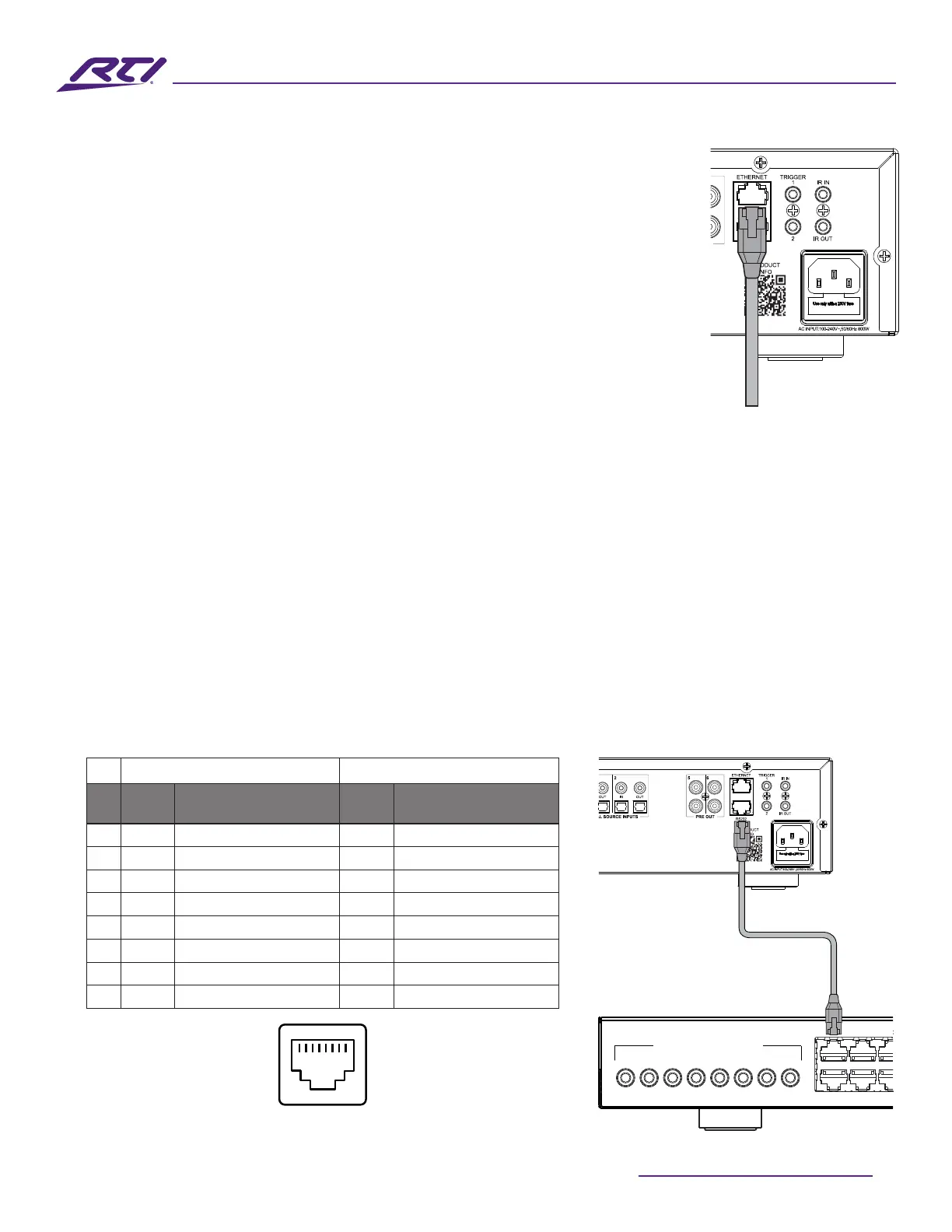
1. ConnecttheRJ-45connector(male)fromonesideofaCAT-5eorbetter
patchcabletotheRJ-45(female)connectorportlabeled“Ethernet”on
theamplier.Pleaseensurethatthecableconnectorisfullyseated.RTI
recommendstheTIA-568Bterminationschema,howeverTIA-568Aisalso
acceptable.
2. ConnecttheRJ-45connector(male)ontheoppositeendoftheCAT-5eor
betterpatchcabletotheRJ-45(female)connectorportoneitheranactive
networkswitch/hub/routeroracomputer.
Serial Control
TheAD-46-100andAD-810-100ampliersuseaproprietaryRJ-45portandwiringschemathatis
intendedtobedirectlyconnected/usedwithanappropriatecompanionportonanRTIprocessor.Ifusing
a3rdpartyserialdeviceforcontrol,pleaseusethepin-outbelowforconstructingacompatiblecablefor
useinthedesiredapplicationtocontrolthisamplierusingRS-232serialcommunication.
1. ConnecttheRJ-45connector(male)fromonesideofaCAT-5eorbetterpatchcabletotheRJ-45
(female)connectorportlabeled“RS232”ontheamplier.Pleaseensurethatthecableconnectoris
fullyseated.RTIrecommendstheTIA-568Bterminationschema,howeverTIA-568Aisalsoacceptable.
2. ConnecttheRJ-45connector(male)ontheoppositeendoftheCAT-5eorbetterpatchcabletothe
RJ-45(female)connectorportonacompatibleRTIprocessor.
AD-41-100 / AD-810-100 Pinout RTI XP Control Processor Pinout
Pin
Signal
Name
Signal Description
Signal
Name
Signal Description
1
2
3
4 GND SignalGround/Common GND SignalGround/Common
5 TXD TransmitData RXD ReceiveData
6 RXD ReceiveData TXD TransmitData
7
8
RJ-45RS-232Port
Ethernet
Cable
1
42
3
5
6
7
8
1
2
5
6
INFRARED OUT / SERIAL OUT / POWER SYNC IN
MULTI-PURPOSE I/O PORTS
RS-232
1 2 3 4 5 6 7 8


 To Next Page