Features
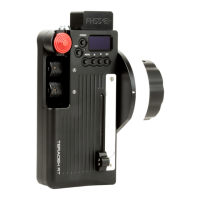
Strong, lightweight Alu construction.
Knurled thumb/finger wheel.
Bracket. Sized for common
professional stabiliser gimbals.
Hard stops.
Record trigger button.
Adjustable mounting angle via
ARRI-style rosette.
Usage & Configuration
Receiver MK3.1
Connect to the AUX socket.
LATITUDE
Connect to the IN-1 or IN-2 socket. By default, IN-1 is FOCUS and IN-2 is IRIS.
Configuration
To manually configure, go to;
CONTROLLER MENU … AUX
Configure the appropriate input, it should be configured as type “KNOB” for Thumbwheel and
“ROCKER” for Zoomrocker.
To Flip the direction of the Thumbwheel;
Hold Down the Thumbwheel button for 10 secs
To manually set the limits of the Thumbwheel (Latitude only);
Hold down the Thumbwheel button and move the knob to your chosen points on the
lens. After releasing the button the Thumbwheel will now configure itself to the points you have
selected. The entire turn of the knob will be between those points. This is very useful for precise
focusing. To clear the limits simply hold down the Thumbwheel button for 5 secs.


 To Next Page