3 Quick Start Guide – LATITUDE
Initial Setup
1. Plug 12-17V into the “PWR” port.
The ideal source is a ~14.8V battery, such as 4S Lithium cells.
2. Affix MOTOR(s) to the rods/lens.
Each motor is factory-set to a certain class (Focus, Iris, Zoom) and labelled accordingly. You can re-assign motor
classes via the menu.
3. Plug the MOTOR(s) into the LATITUDE unit.
Plug the Motor into any motor port, the Motor(s) will begin calibrating.
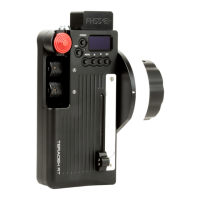
4. Put a Canon LP-E6 battery in the CONTROLLER and hold down the PWR button.
Camera Run/Stop & EF Lens Control (RED)
1. Connect a Latitude camera cable between the Camera and Latitude CTRL
sockets.
2. Enter the Controller’s MENU, Select CAMERA then RED CTRL.
Camera Run/Stop (non-RED)
1. Connect the appropriate Run/Stop cable from the CTRL port on the LATITUDE to
your Camera.
2. Enter the Controller’s MENU, Select CAMERA, then select which camera you have
connected.
3. You can now Run/Stop the camera with the REC button.


 To Next Page