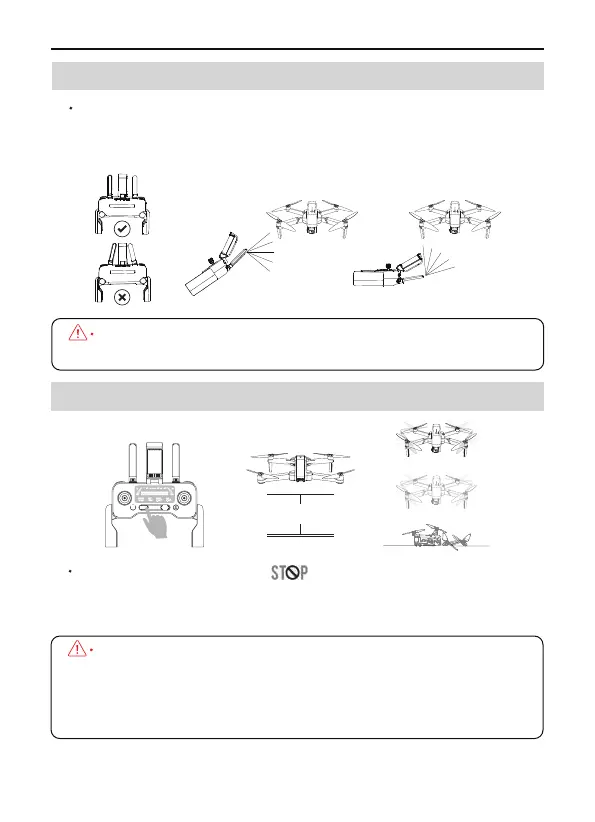
Click once and hold the for 3 seconds to enter into
Emergency Stop mode. It only activated when the drone's flight
altitude within 5-42ft.
F11GIM2 User Manual
6.3 Optimal Transmission Zone
6.4 Emergency Stop
Copyright ©2022 Ruko All Rights Reserved.
21
DO NOT use other wireless devices to avoid interference to the
remote controller.
About 5 feet
The signal between the drone and the remote controller is most
reliable when the antennas are positioned in relation to the aircraft
as shown below.
By using this function the drone motor will stop working
immediately thus fall to the ground, which might cause damage.
Only use this feature when in emergency so as to reduce the
risk of damage or injury.



 To Next Page