F11GIM2 User Manual
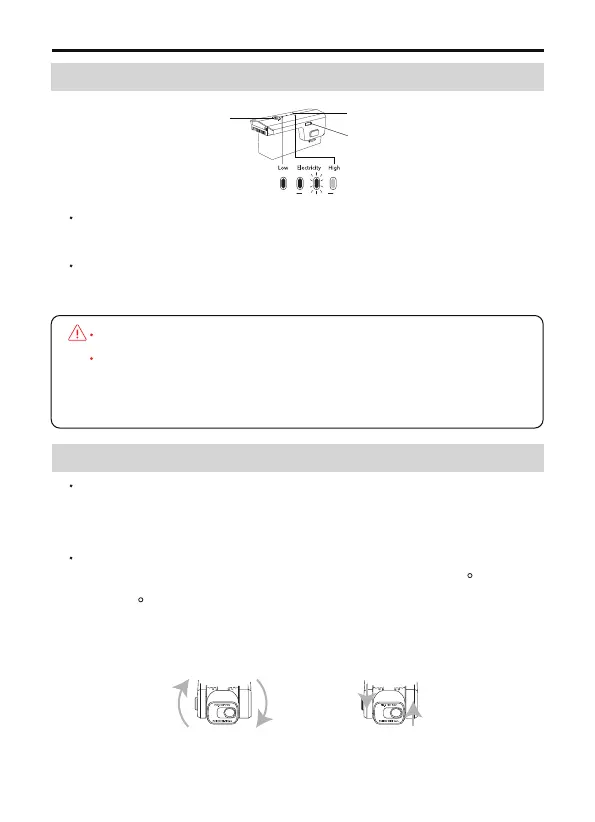
Hold the switch button for 3 sec.power on; then press the button for
3 sec. power off.
Refer to the battery level LED, when only one LED left, charge the
battery.
Copyright ©2022 Ruko All Rights Reserved.
24
7.4 Intelligent Flight Battery
7.5 Gimbal and Camera
Battery switch
Battery level LED
USB charging port
DO NOT install the battery with the power already switched on.
DO NOT charge the battery immediately after flight as the
temperature may be too high.Wait until it cools down to room
temperature before charging again.
The gimbal of F11GIM2 drone ensure the user can capture clear and
stable impage and videos even when the drone is flying, the camera
also equipped with electronic stabilization function.
The camera uses an upgraded 5GHz Wi-Fi FPV real-time transmis-
sion function, equipped with 2-Axis Gimbal 4K EIS, 100 FOV lens
and a 80 adjustable camera, which can stably shoot 4K ultra-clear
videos and images, providing you with a broad field of vision for
unforgettable moments.



 To Next Page