The aircraft camera angle can be adjusted from -90° to 0°.
Image output format: JPG
Video output format: MP4
Pixel
F11MINI
APP
Micro SD Card
Picture Video
4096×2304P
4096×2304P
2048×1080P@25FPS
1280×720P@25FPS
2688×1512P@25FPS
2048×1080P@50FPS
①
②
Micro SD card storage settings
You can choose 2K@50FPS (smooth) or 2.7K@25FPS (default) when
saving the video on the Micro SD card.
Real-time video transmission
F11MINI has a maximum of 2K@25FPS real-time video transmission,
you can switch to 720P@25FPS according to the flight situation.
When you sinstall a Micro SD card, no matter which storage setting
you choose, the real-time video transmission can be switched
between 2K@25FPS or 720P@25FPS and stored in the album in the
Ruko Mini app.
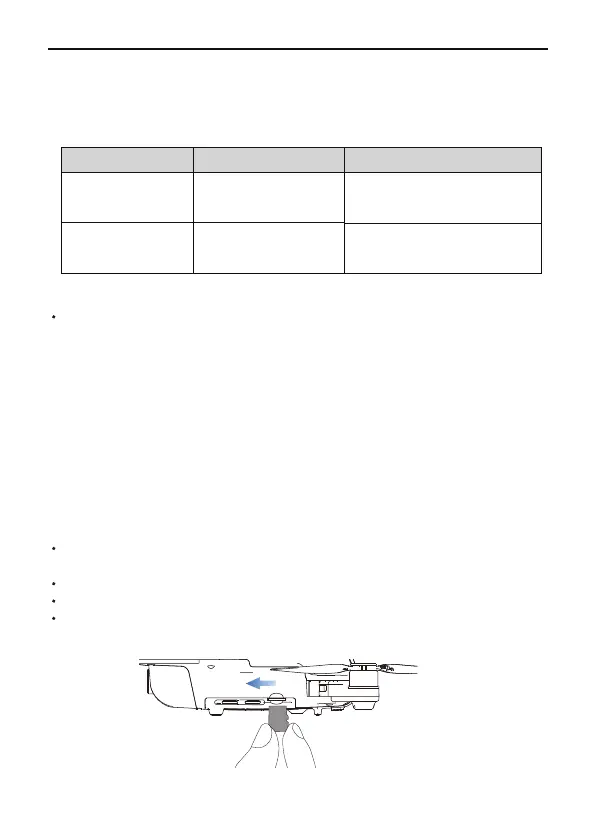
F11MINI is equipped with a micro SD card slot for storage space
expansion.
Card speed: 10M/s.
File format: support FAT32 format.
Memory capacity: a memory card with a memory capacity of 128G or
less.
Storing Photos and Videos
(Not included in package)
27Copyright ©2022 Ruko All Rights Reserved.
F11MINI User Manual



 To Next Page