Please choose a flat ground to land.
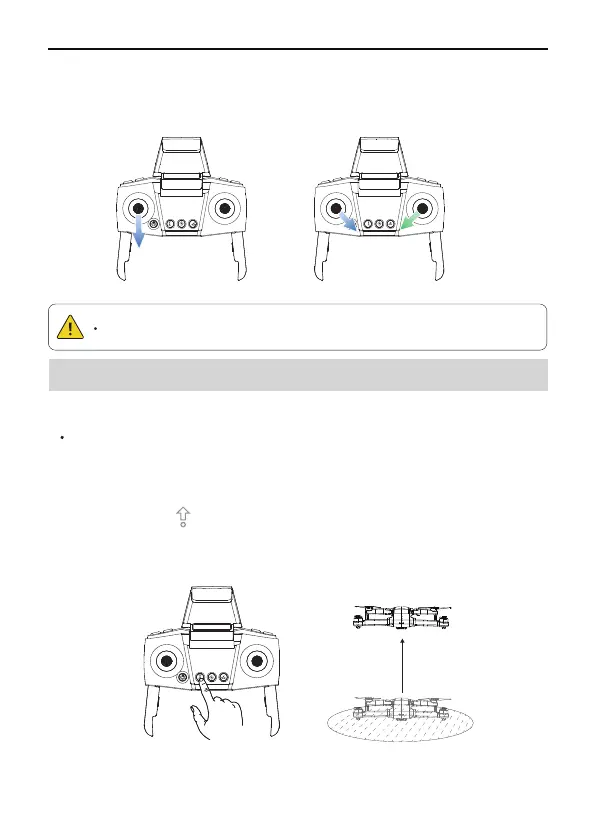
After the aircraft is calibrated, the user can use the automatic take-off
function:
The aircraft will take off automatically and hover at a distance of
4 ft from the ground.
Start the motor after confirming the safe take-off conditions.
Click the One-key Takeoff button on remote controller or enter the
app and click to take off.
Method 2: When the flight is not taking off, push the joysticks into 5 & 7
o'clock position to start the motor. After the motor is turned off, please
release the joystick immediately.
Auto Takeoff
48
Copyright ©2022 Ruko All Rights Reserved.
F11MINI User Manual
6.8 Auto Takeoff/Lading Auto Takeoff
①
②
③
Method 1 Method 2



 To Next Page