42
Copyright ©2022 Ruko All Rights Reserved.
F11MINI User Manual
Make sure that the propelle is free from damage, aging, deformation,
no foreign matter entanglement, and secure installation.
Make sure that GPS is turned on to avoid that it would be lost please
fly outdoor in an open place.
Make sure that the 4 motors can start normally after power-on, and
the rotation speeds are consistent.
Make sure that you have connected the Wi-Fi named“
Ruko_F11_Mini_5G_******” exactly after app access right and
internets permission with your phone.
Make sure the camera is clean.
If you need to replace parts, be sure to use original parts.
Make sure to use original accessories, otherwise it may cause
danger to the safe use of the aircraft.For details on accessory
support, please refer to the accessory support page in the appendix
of the user manual.
Aircraft needs to carry out a series of calibration work before flying,
the main purpose is to avoid the accident that the aircraft loses
control and crashes caused by the inaccurate GPS signal during the
flight.
Before calibrating the aircraft, you need to pair the remote controller
with the aircraft, and connect the smartphone to the aircraft's Wi-Fi.
④
⑤
⑥
⑦
⑧
⑨
⑩
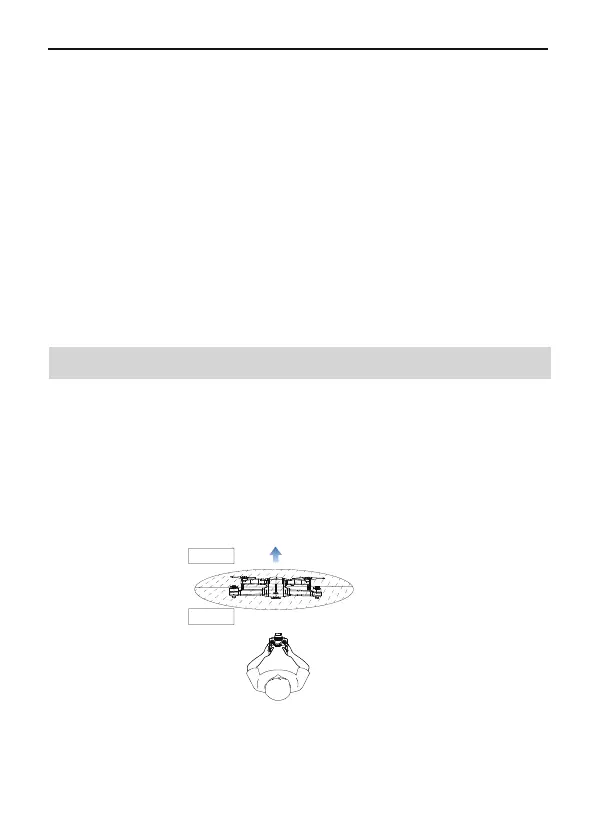
Unfold the four arms of the aircraft and place them on an open level
ground with the nose facing forward and the tail facing the pilot.
①
Long press the power button of aircraft, the motor light will be on and
you will hear a beeping sound, indicating that the aircraft has been
turned on.
②
6.3 Pairing remote controller with Aircraft
d>10M
Vorne
Hinern



 To Next Page