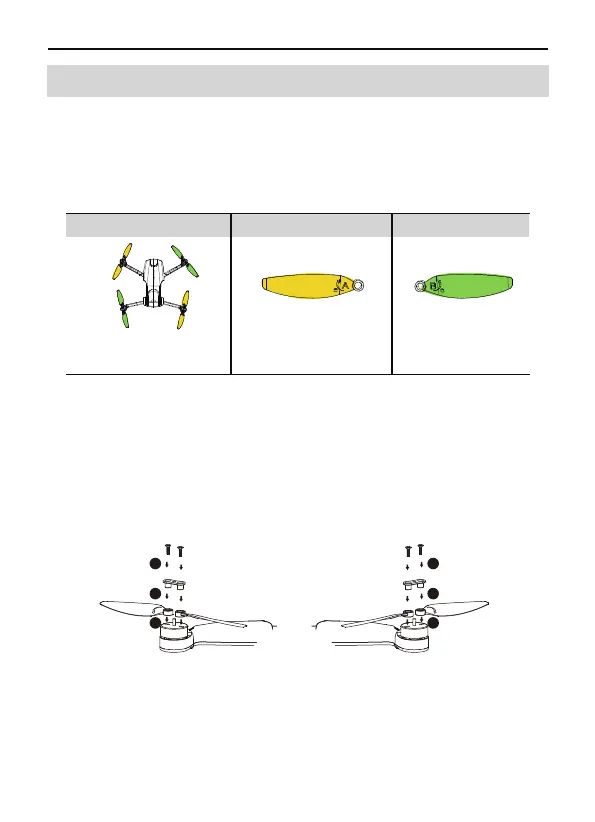
Taking the camera direction as the front, the left front arm and right
rear arm must be equipped with propellers marked with A; the right
front arm and left rear arm must be equipped with propellers
marked with B. Use a screwdriver to install and make sure the
screws are tightened.
Use the screwdriver to detach the propellers from the motors.
Attaching the Propellers
Detaching the Propellers
3.5 Propellers
The propellers on the adjacent motors of the F11MINI are forward
and reverse propellers. The two propellers on the same motor are
the same, and the propellers are marked with A and B respectively.
The rotation directions of the propellers with the same mark are
same.
Installation location
Installed to the motor
with A mark on the arm
Installed to the motor
with B mark on the arm
Mark APropellers Mark B
B
B
A
A
1
2
3
A
A
1
2
3
B
B
22 Copyright ©2022 Ruko All Rights Reserved.
F11MINI User Manual
3.5 Propellers



 To Next Page