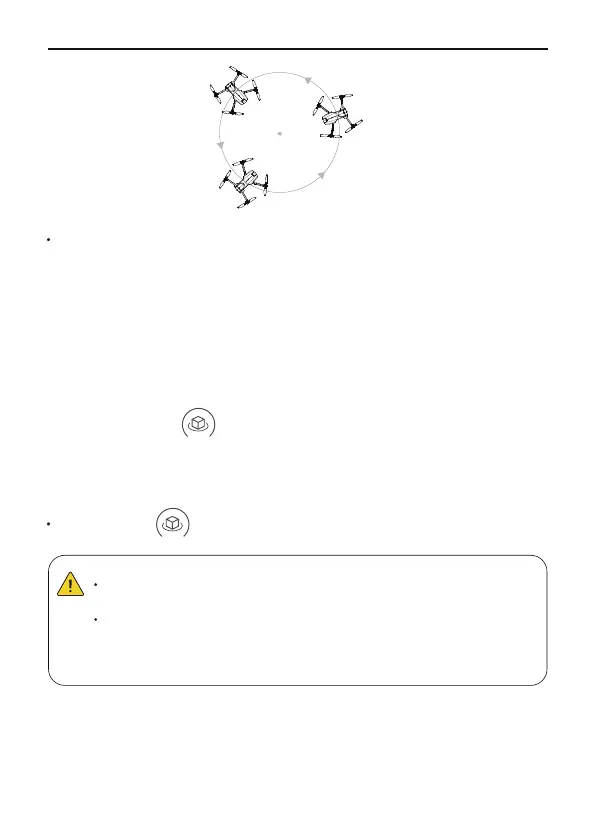
The default surround mode radius is 16 feet (5m), and the
maximum radius is 65 feet (20m).
The flying speed of the surround mode radius depends on the
surround mode radius, the larger radius, the faster the flying
speed.
In this mode, the aircraft will fly around the target center point with a
radius. The right joystick push forward/backward to control the radius
of the aircraft's circle of 5-20m (16-65 ft), and push left/right controls
the direction and speed of the aircraft's circle, that is, the aircraft will
fly around counterclockwise/clockwise.
Launch the aircraft and make it hover around the target center point.
Fly to the target point where you want the aircraft to fly around.
Tap the icon on the app to activate Fly Around mode, and
the aircraft will start flying around the center.
①
②
③
Using Fly Around
Fly Around
Tap the icon on the app interface again to exit the Fly Around.
Exiting Fly Around
21Copyright ©2022 Ruko All Rights Reserved.
F11MINI User Manual



 To Next Page