43
Copyright ©2022 Ruko All Rights Reserved.
F11MINI User Manual
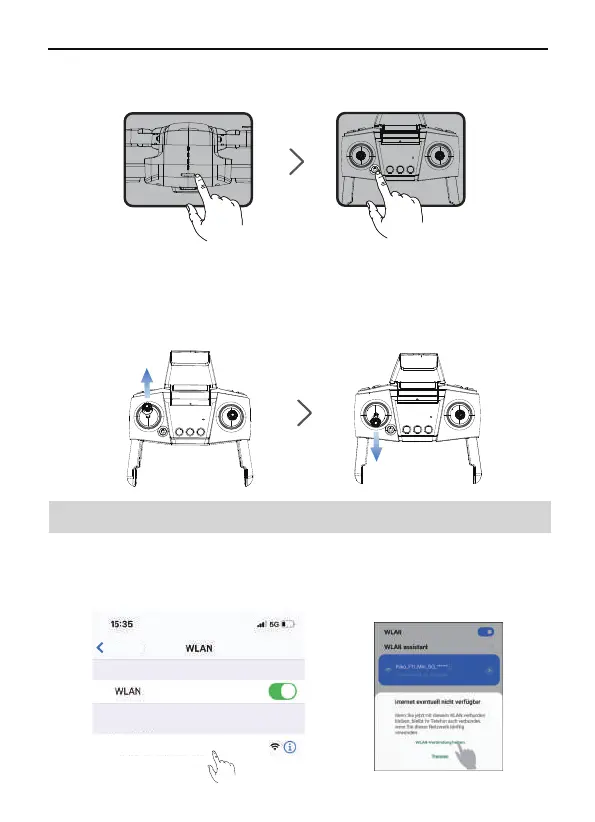
Press the remote controller power button once to turn on the remote
controller.
③
6.4 Wi-Fi Connection
Push up the left stick of remote controller to 12 o’clock and then pull
it down to 6 o’clock to pair the remote controller with the aircraft.
After the aircraft emits a “beep” sound, the remote controller light
changes from flashing to steady on, which means the pairing is
successful.
④
Open the phone Wi-Fi setting page.
Connect the mobile phone to aircraft's Wi-Fi (name:
Ruko_F11_Mini_5G_******).
①
②
Ruko_F11_Mini_5G-******
MEINE NETZWERKE
Einstellungen



 To Next Page