47
Copyright ©2022 Ruko All Rights Reserved.
F11MINI User Manual
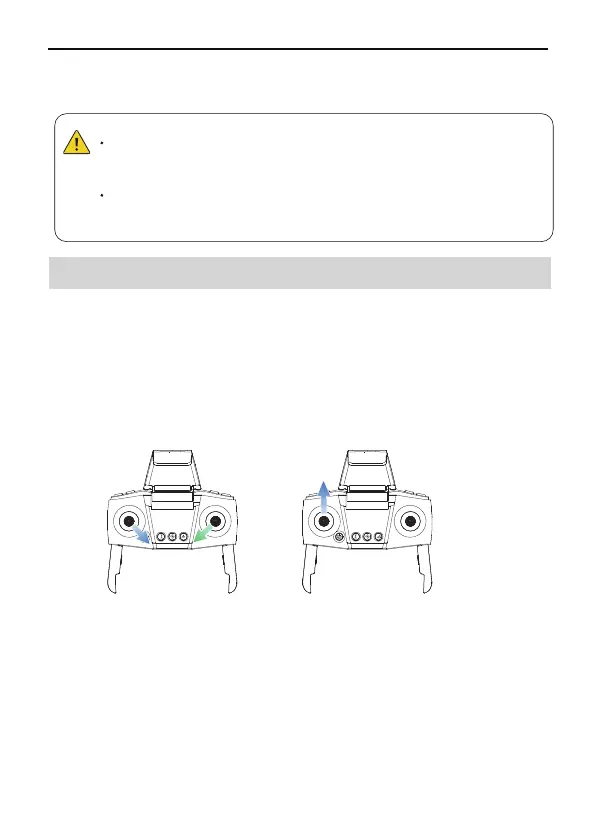
Method 1:
Push the joysticks into 5 & 7 o'clock position to start the motor. Please
release the joysticks immediately after the motor starts rotating.
Method 1: After the aircraft takes off, push the throttle stick to the
lowest position and operate the aircraft to land until the motor stops,
then release the joystick.
Method 2:
Push up the left joystick of the remote controller.
Stopping the Motors
Starting the Motors
6.7 Starting/Stopping the Motors
After the calibration is completed, "Fly" is displayed in the app, and
you can now prepare to take off.
⑤
When the aircraft's flight state is tilted and unstable, please
land the aircraft on a level ground for gyroscope/horizontal
calibration.
Horizontal correction cannot be performed when the fuselage
is tilted more than 10 degrees.
Method 1 Method 2



 To Next Page