Install carefully. Failure to comply with instructions could result in personal injury
and property damage.
Make sure the propeller is properly installed, or the drone might not work normally.
Only use the propeller accessories provided by RUKO, or it may damage to the drone.
U11Pro User Manual
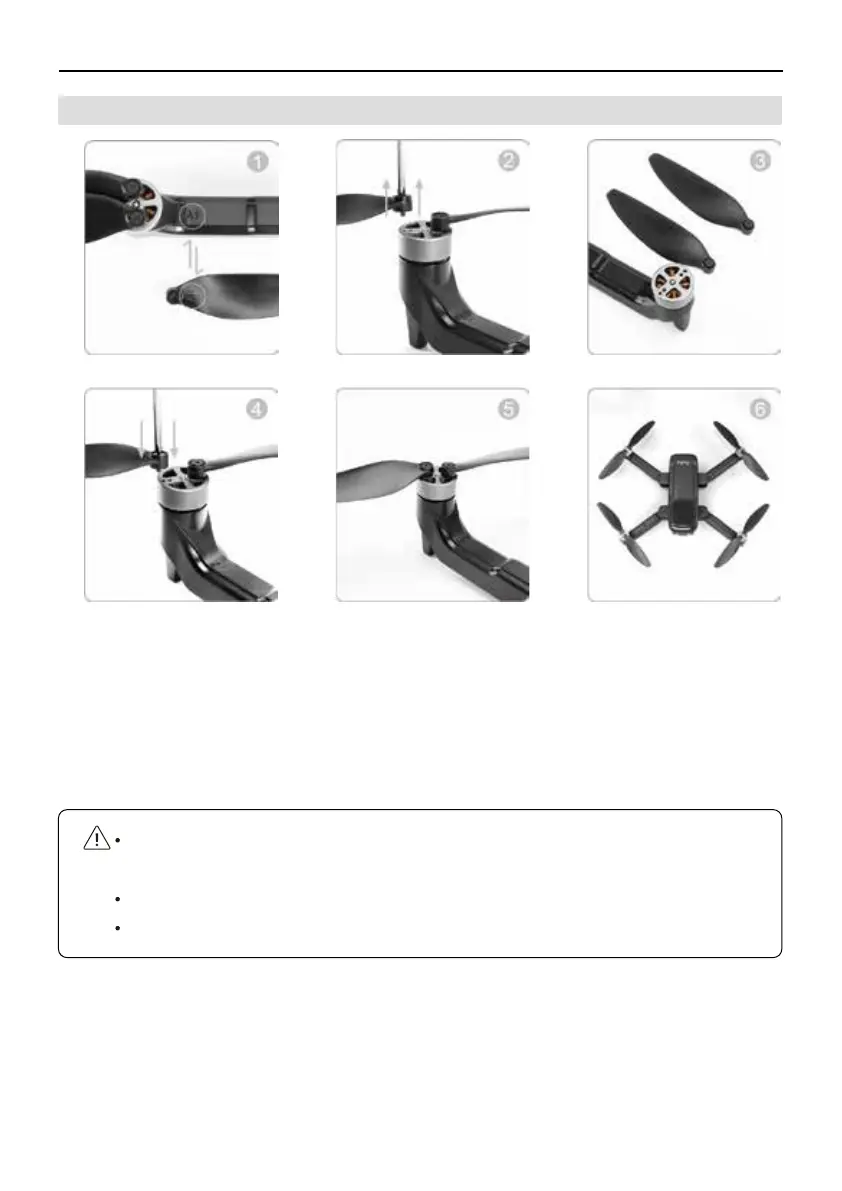
3.6 How To Replace the Propeller
①
Make sure the mark of the new propeller must be matched with the arm.
Loose the screws of motors.
②
Take out the damaged propeller.
③
Replace damaged blades with new ones.
④
Install propeller securely and tighten screws.
⑤
Complete.
⑥
Copyright ©2021 Ruko All Rights Reserved.
10



 To Next Page