Copyright ©2021 Ruko All Rights Reserved.
28
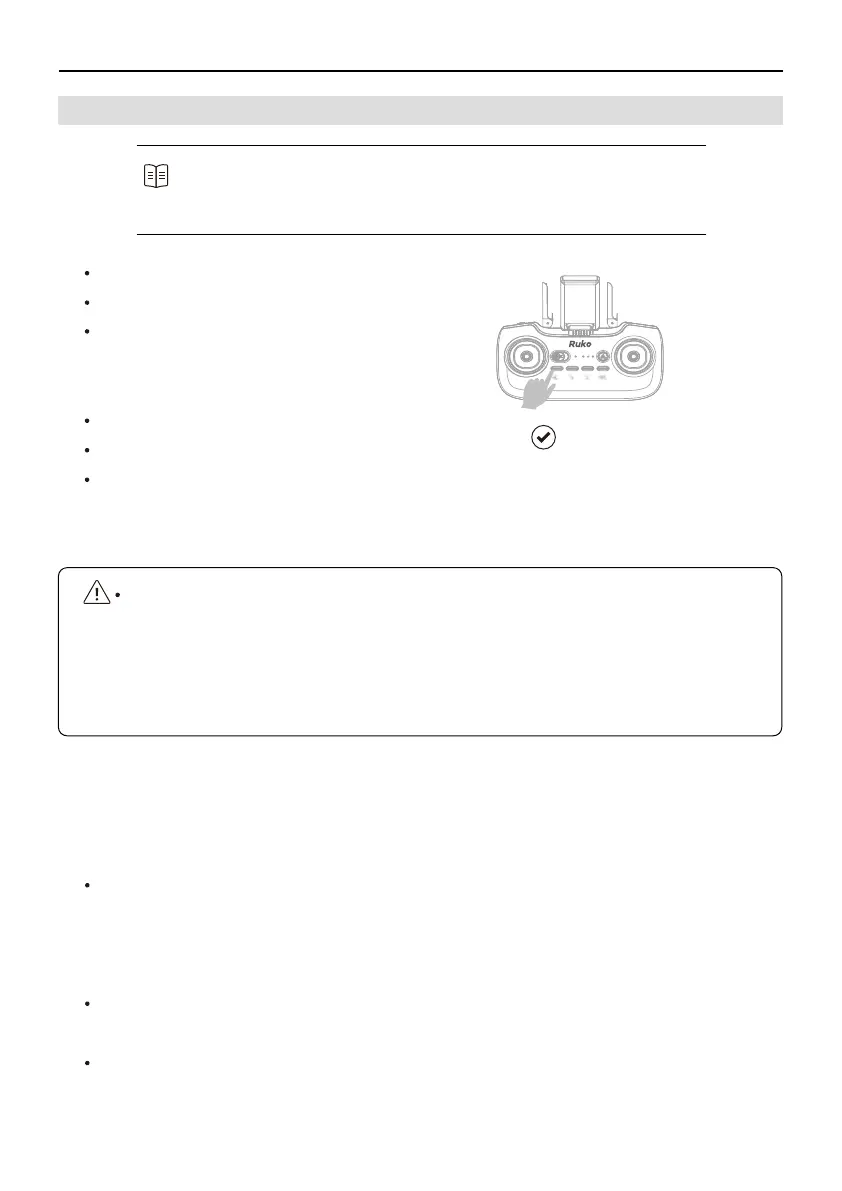
How to turn off GPS Mode while flying indoor?
Long Press (3 seconds) the GPS button on remote control until the Blue LED Light
of controller goes off. When in low battery, it will return to the 30m (98 ft)RTH
altitudes above the Take-off Point.
*GPS needs to be turned off before the indoor flying.
U11Pro User Manual
6.4 How to Fly in Indoors
Step 1: Power On The Drone
Step 2: Power on Remote Control
Step 3: Compass Calibration
Compass horizontal calibration
Compass vertical calibration
Step 4: Gyroscope Calibration
Step 5: Turn off GPS Mode
Step 6: Starting/Stopping the Motors
Recommended to hone your flight skills and practice flying safely ,
flying indoor could be dangerous if improper operation. Refer to the
How to Fly in Outdoor Environment section for more information.
Long Press
Fly Indoor
7 Warning
There is important information contained in this package and instruction manual, please keep
it for future reference. Refer to the Disclaimer & Safety Guidelines for more safety information.
You have the responsibility to make sure that this model of aircraft won't cause injury to others
bodies or cause any damage to property.
RUKO and distributors won't be responsible for any incorrect operation, which may cause loss
or damage, or injury to the body.
Children ages 14 and up should use this product under the guidance of an adult. This product
is FORBIDDEN to be used by children under 14 years old.



 To Next Page