U11Pro User Manual
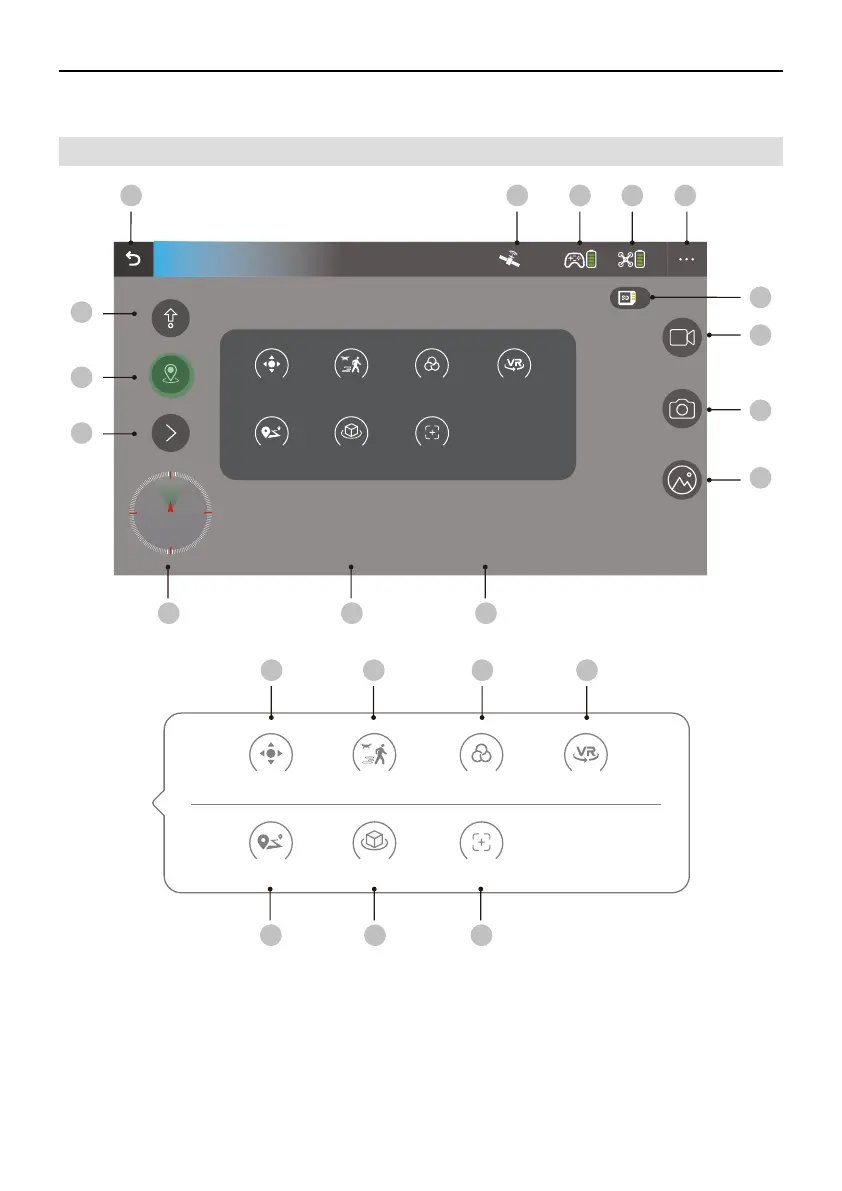
5.1 App Introduction
5 APP Presentation
①
Back: Tap to return to the home screen.
One Key Take Off/Landing: Tap the icon to initiate auto take off or landing.
②
RTH: Tap the icon to initiate Smart RTH and have the aircraft return to the Take off Point.
③
More Functions: Tap the icon to display the menu for more functions.
④
GPS Status: Displays the current GPS signal strength.
⑤
12
11
GPS Mode
Joystick GPS follow Filters VR
WayPoint Orbit Camera Angle
D:0.0m H:0.0m VS:0.0m/sDS:0.0m/s
2
3
4
13 14 15
5 6 7 8
10
9
1
8
N
S
M E
Joystick GPS follow Filters VR
WayPoint Orbit Camera Angle
222120
19181716
Copyright ©2021 Ruko All Rights Reserved. 15



 To Next Page