Copyright ©2021 Ruko All Rights Reserved.
24
U11Pro User Manual
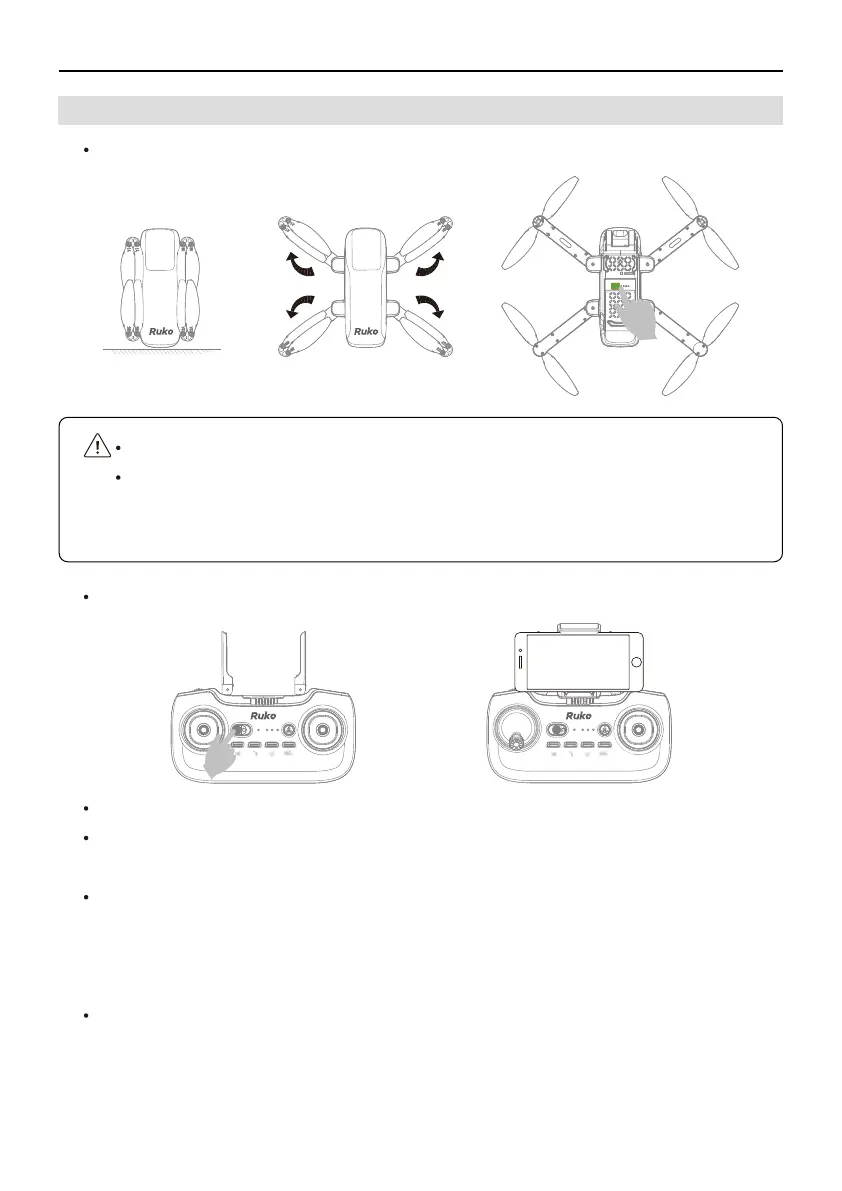
Step 1: Unfold the Drone Wings and Power on the Drone
Step 2: Power on Remote Controller
6.3 How to Fly in Outdoor Environment
Unfold the remote control antenna and install mobile phone holder.
Turn on the remote control power, the transmitter sounds beep, all the indicator lights are
flashing quickly.
Pulling the Left Joystick down and to 6 o'clock position and let go, the transmitter sounds
beep, the first LED indicator ( Red) of transmitter stays on from flashing quickly,the second
LED indicator (Blue) of transmitter is flashing slowly, the drone and the remote control are
successfully connected, then you can continue with the next step.
Tips: It takes about 30 seconds for the drone to connect to the remote control.
Unfold wings and put the drone on the horizontal ground.
Long press the power button for 3 seconds to turn on the drone. All the LED Lights
of the drone will stay on, then the Rear Light(Green) start flashing quickly, finally
it goes off, at that time, the Front Lights(Red) become flashing slowly from stay on.



 To Next Page