Copyright ©2021 Ruko All Rights Reserved.
13
U11Pro User Manual
The remote controller can't work while charging, please fully charged before use.
Refer to Disclamer & Safety Guidelines to get more information about precautions for
charging and daily maintenance of the battery.
Tips: Flying indoors is slower than outdoors.
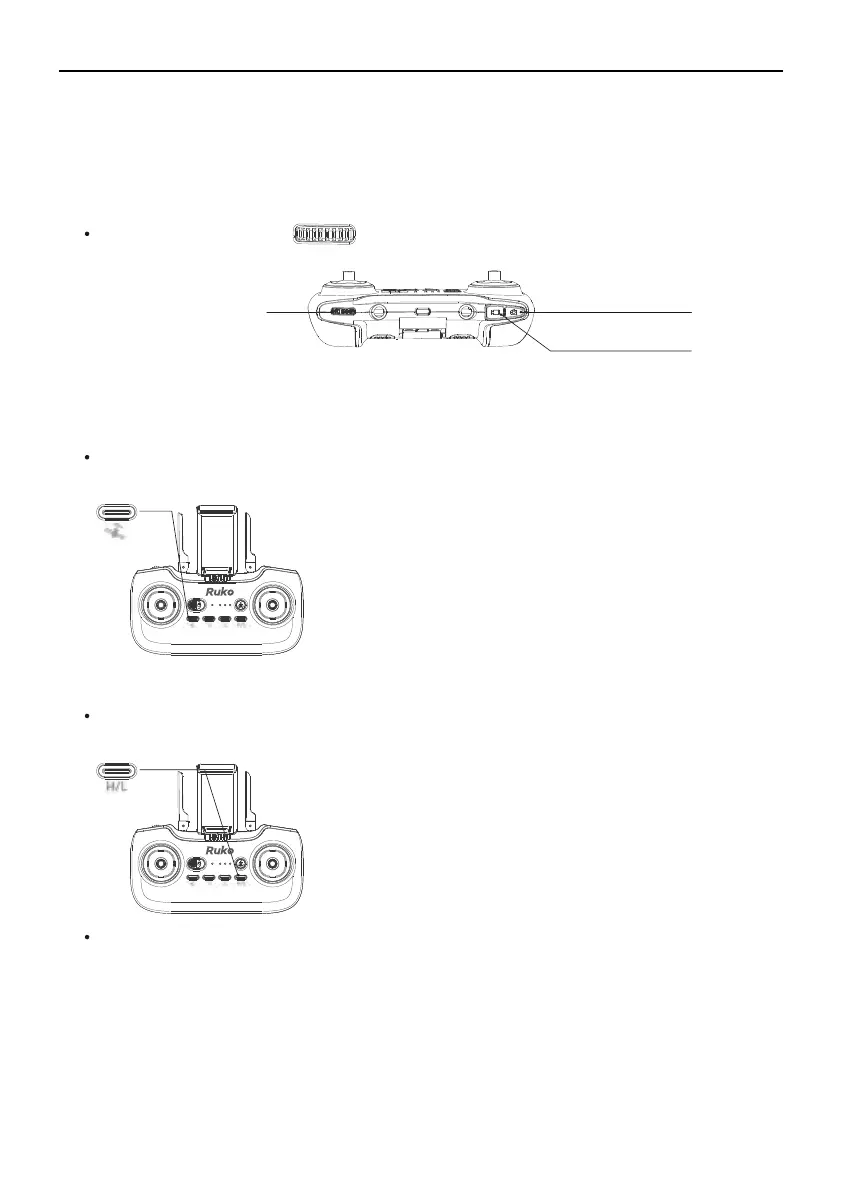
Controlling the Camera
GPS Button
Adjust Camera Angle
Take Photo
Take Video
①
Adjust Camera Angle: Use to adjust the angle of the camera.
①
②
③
①
②
③
①
②
GPS mode is turned on by default.
Long Press to turn off GPS mode, blue LED lights of remote
control goes off.
GPS mode must be turned off when flying indoors.
Speed Switch Button
Default Medium Speed Mode.
Press this button once to enter High-Speed Mode.
Press this button twice to enter Low- Speed Mode.



 To Next Page